

When buyers land on your site, they don’t want a scavenger hunt. They want the clearest path to understanding why your product matters and what to do next.
Most B2B SaaS pages aren’t built for that. They stack features and screenshots into long scrolls that don’t match how sales conversations actually work.
An interactive demo page fixes that. And with xdreality, you don’t just show your product. You guide attention, sequence understanding, and tighten the path from interest to booked call.
Why feature-heavy landing pages stall
A high-converting sales call has a flow. You open with the problem, anchor the use case, show the moment of value, and only then expand into options. Scroll-first pages break that flow:
- Everything is visible at once, so nothing feels prioritized.
- Prospects self-navigate out of sequence and miss the plot.
- Feature grids read like checklists instead of outcomes.
- CTAs compete with content instead of punctuating the story.
The result is cognitive overload and poor intent signals. Buyers might skim headlines, watch a video out of context, then bounce without ever connecting the dots.
An interactive demo page restores sequence. It’s a guided path that mirrors the best parts of your sales conversation—chaptered, intentional, and outcome-first.
What a high-performing interactive demo page does
A strong interactive demo page is not a generic product tour. It’s a demo conversion page designed to create clarity and momentum:
- Opens with a why: the problem your buyer is trying to solve.
- Routes visitors through one or two relevant scenarios (not all of them).
- Spotlights the critical interaction that proves your product’s value.
- Uses progressive disclosure—details appear when they matter.
- Places a clear next step at deliberate moments, not just the footer.
In short, it’s a product storytelling page with a destination. Visitors don’t just explore; they move through a guided SaaS demo that nudges them to raise their hand at the right time.
Guided demos with xdreality
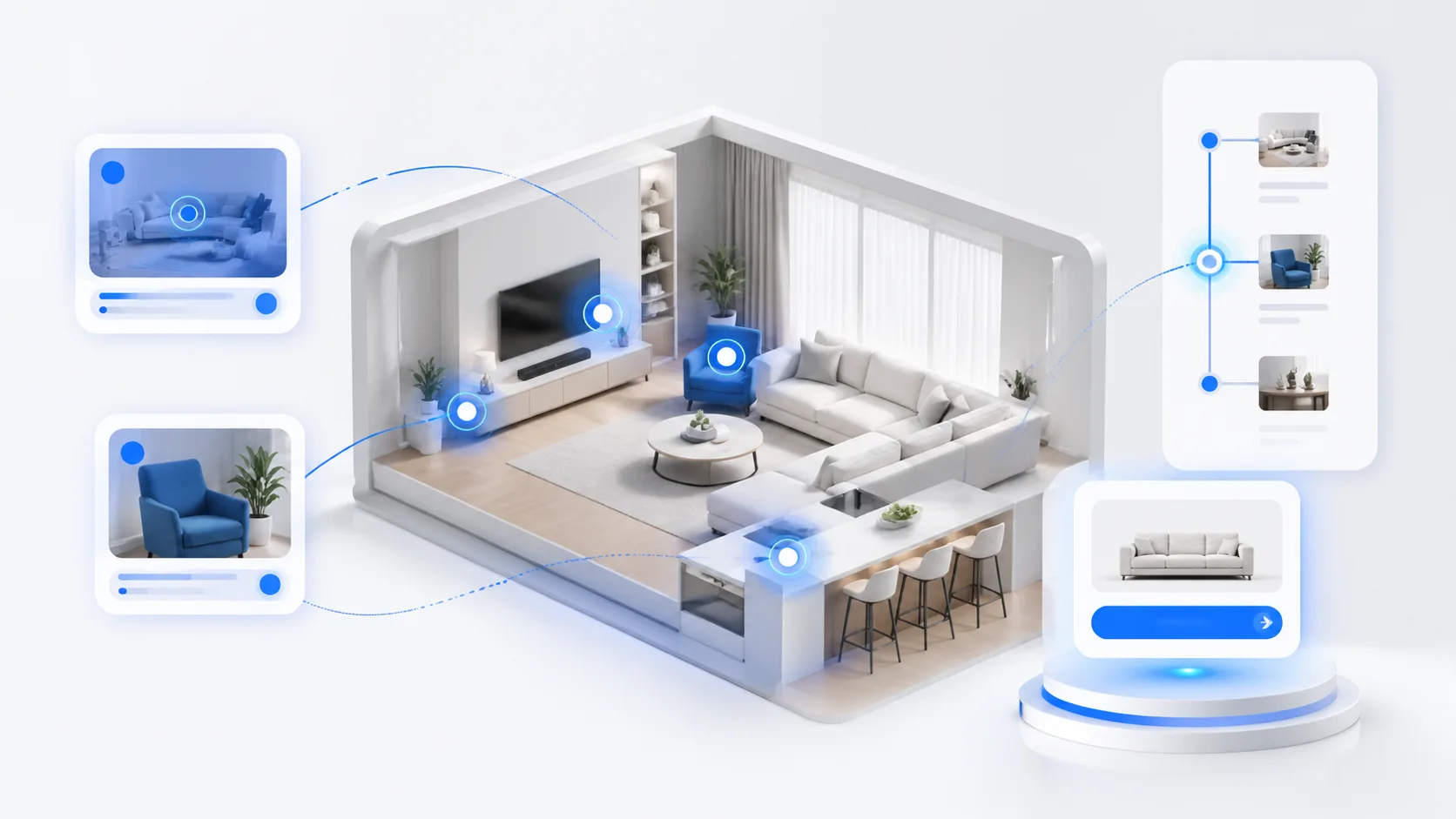
xdreality is built for room tours, virtual showrooms, 3D product pages, and guided interactive demos. For B2B SaaS teams, that means you can turn your product story into a purposeful path without heavy engineering.
Here’s how xdreality maps to a demo conversion page:
- Chapters and routes: Structure your narrative into steps (Problem → Use Case → Moment of Value → Proof → Next Step). Visitors follow a clear path with branches for different personas.
- Spotlight and annotations: Focus attention on specific UI elements, data points, or scenes. Callouts appear exactly when the story needs them.
- Stateful interactions: Reveal a dashboard change, toggle a setting, or move between product states to show before/after moments.
- 2D and 3D canvas: Stage web screens, product views, or spatial scenes. Whether you’re showcasing workflow UI or a 3D data environment, the route stays consistent.
- Contextual CTAs: Insert “Book a call,” “See pricing,” or “Start trial” at milestone moments. Drop in your scheduler or form without sending visitors away.
- Analytics you can act on: See which chapters hold attention, where visitors branch, and which moments trigger the most CTAs.
Instead of building another scroll page, you design a guided flow that makes sense to buyers and aligns with how your team actually sells.
Design a guided SaaS demo that mirrors your best sales call
Use this framework to turn your current website story into a guided interactive demo page with xdreality.
- Choose one job-to-be-done
- Pick a primary use case that anchors 70–80% of your inbound conversations.
- Promise one outcome up front. Save the rest for optional branches.
- Open with context and consequence
- Show the before state: data scattered, process slow, compliance risk—whatever your buyer cares about.
- One slide or scene is enough. Your goal is to earn the next click, not summarize the world.
- Stage the moment of value
- Drop the visitor into the exact place the product delivers the “aha.”
- Use spotlighting to highlight the element that changes their day (e.g., a single automation rule, a single report, a single approval).
- Keep narration succinct: what they see, why it matters, and what it enables next.
- Branch by persona or scenario
- Offer one or two forks: “Ops Leader” vs. “Analyst,” or “Adoption” vs. “Security.”
- Each branch is a mini-route with a clear beginning and end. Avoid branching into a maze.
- Add proof without derailing the flow
- Insert short, skippable proof moments: a data point, a logo wall, or a quick clip of the product handling edge cases.
- Keep proof inline—don’t send visitors to separate pages.
- Land the next step with intent
- Place a CTA after the moment of value and again at the end of each branch.
- Offer multiple contact modes based on readiness: book a call, request a tailored walkthrough, or share use-case details so your team can prepare.
Pro tip: Keep narration light. Let the route do the heavy lifting and use annotations to reduce reading load. The more the interface shows the story, the less copy you need.
Build the page in xdreality, step by step
You can go from storyboard to live demo conversion page without reinventing your site.
- Assemble assets: Capture lightweight screen states or short clips. Recreate only what you need to show the value moment—no full product replica required.
- Create chapters: Set up 4–6 steps that map to your sales flow. Name them exactly like your team speaks on calls.
- Add spotlights and reveals: Use callouts and transitions to emphasize actions and outcomes at precise moments.
- Insert CTAs where momentum is highest: Bring scheduling, forms, or chat into the route so visitors don’t detour.
- Align with sales: Share the route with AEs and SDRs. If it doesn’t feel like your best call, iterate the sequence—not the polish.
- Publish and embed: Ship as a standalone link for campaigns or embed it on your homepage, features area, or resources hub.
Because xdreality is structured around guided flows, you can add depth (3D scenes, product environments, spatial storytelling) when it helps, or stay entirely 2D when that’s cleaner. Either way, the path stays focused.
Measure what matters on your product storytelling page
Vanity metrics don’t help you learn. Instrument your interactive demo page around momentum and intent.
Track:
- Chapter completion: Where visitors stop tells you where the story breaks.
- Time-to-CTA: Shorter paths to the first meaningful action often signal clarity.
- Branch engagement: Which persona routes get traction and which need rework.
- CTA conversion by chapter: Do people book when you show the value moment, or after proof?
- Replay and revisit: If prospects return and skip right to a chapter, that’s a strong intent signal for sales.
Act:
- Edit the route before you edit the copy. Sequence usually beats wording.
- Collapse steps that don’t change understanding. Fewer, clearer steps outperform long routes.
- Personalize entry points. Link paid campaigns or emails directly to the most relevant chapter.
With xdreality analytics, you get chapter-level signals that map cleanly to how you sell, so marketing and sales can iterate the same story instead of optimizing separate assets.
Where interactive demo pages fit in your funnel
- Homepage: Replace the “Features” scroll block with a guided moment of value and a prominent CTA.
- Campaign landing pages: Start visitors at a relevant chapter and prefill the CTA with campaign context.
- Sales follow-up: Send the route to champions who need to socialize your solution internally.
- Partner enablement: Create persona-specific branches that partners can share without custom decks.
Think of it as a persistent, always-on guided SaaS demo that works before, between, and after live calls.
Bring your story to life with xdreality
If your current page is a wall of features, you’re asking visitors to self-sequence your product. A guided interactive demo page sequences it for them, just like your best AE would.
xdreality gives your team the building blocks to:
- Map your product story into chapters and branches.
- Focus attention with spotlights and timed reveals.
- Embed the right next step precisely when intent is highest.
- Measure the moments that actually move deals forward.
Ready to replace scroll-first confusion with a narrative that converts? Book a demo and we’ll map your current product story into a guided flow in xdreality—so buyers see the value faster and know exactly what to do next.