
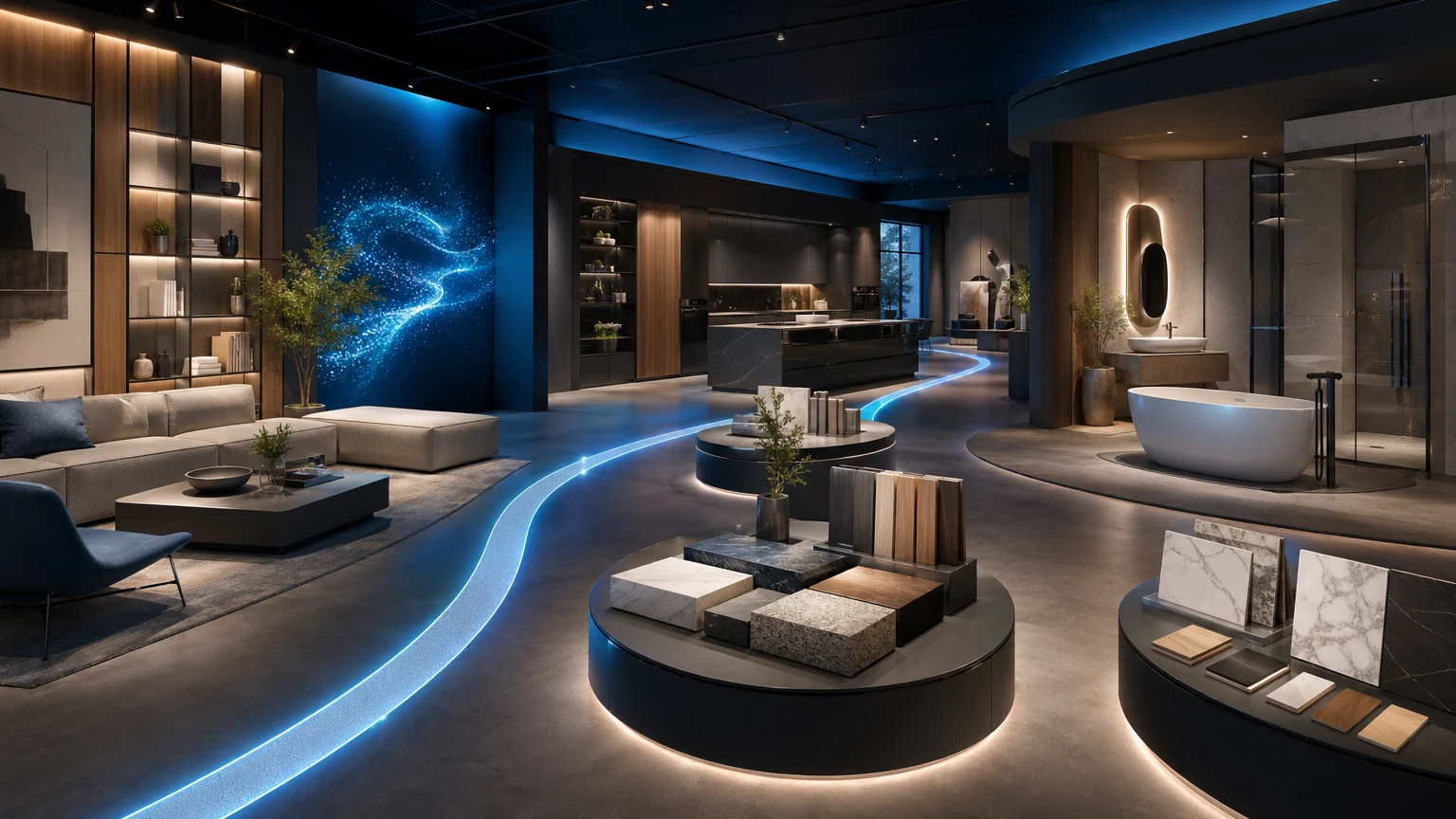
This guide explains how furniture brands plan a digital furniture showroom with examples, dealer follow-up, and sales walkthroughs without rebuilding a microsite every quarter. Teams searching this topic are often still shaping content architecture and buyer flow before they commit to digital furniture showroom software and ownership decisions. A digital furniture showroom gives merchandisers, marketers, and sales teams one shared place to show the collection story, explain layout choices, and spotlight hero products without rebuilding a microsite each season.
xdreality delivers that model through a guided 3D virtual showroom. Your team gets a navigable space, clickable product moments, and layered guidance that turns a browsing session into a structured brand walkthrough and a stronger sales handoff.
If you need the shorter furniture-brand use-case page before the rollout decision, use Virtual Showroom for Furniture Brands. If you already know the evaluation is about ownership, rollout, and sales workflow, move straight to Furniture Showroom Software. If you are still comparing the broader category, use the Virtual Showroom overview first.
Digital furniture showroom: what buyers expect
A digital furniture showroom is not just a 3D room online. The useful version gives buyers a clear route through collection chapters, shows how products work together in real room context, and keeps the next commercial step visible. For furniture brands, that step might be a dealer follow-up, product-page handoff, swatch request, press preview, or retail partner conversation.
The reason this matters for search intent is simple: teams looking for a digital furniture showroom usually want a repeatable sales asset, not another visual microsite. xdreality treats the showroom as a guided environment with product moments, room-level story, and conversion paths already mapped into the experience.
When the query becomes "digital furniture showroom software," the buyer is usually asking a second question: who owns this rollout, where do the product moments hand off, and what is the next CTA after the showroom? That is why this guide points both to the category route and to the commercial rollout page instead of stopping at inspiration examples.
If you are evaluating digital furniture showroom software
Once the idea is clear, the buying decision usually shifts from "should we have a showroom?" to "how should this showroom actually run?"
Use these checks before you commit:
- Can the showroom route be updated each season without rebuilding a microsite?
- Can product moments hand off into product pages, swatch requests, dealer follow-up, or a contact CTA?
- Can marketing, merchandising, and sales all use the same guided asset without rewriting the story in separate decks?
- Can the same structure support both inspiration traffic and commercial rollout conversations?
If you are already in rollout mode, go directly to Furniture Showroom Software. If you want the shorter furniture-brand use-case route before that decision, use Virtual Showroom for Furniture Brands.
Why a digital furniture showroom beats another microsite
A microsite can host assets. A virtual showroom can host the story.
When buyers, partners, and consumers understand how pieces live together in a room—and why a particular layout matters—products make sense faster. With xdreality, your virtual showroom becomes the single hub that:
- Shows collections as furnished rooms, not just SKUs
- Gives buyers a clear route through hero scenes and featured pieces
- Lets shoppers and trade partners click into product moments for details
- Provides guidance that adapts to the context of the room
For brand teams, it means less time stitching landing pages together and more time shaping the narrative of the season. For sales, it means a consistent walkthrough every time.
Guided 3D: a clear path through your collection
Most 3D experiences drop visitors into a space and hope they explore. Guided 3D is different. xdreality organizes your showroom as a guided path with stops, so every viewer knows where to start and what to see next.
Here’s how that plays out for a digital furniture showroom:
- Curated stops: Living room, dining, bedroom, outdoor—each scene becomes a clear chapter of the collection.
- Scene‑to‑scene navigation: Viewers move along a defined route rather than wandering, so key moments aren’t missed.
- Purposeful pacing: You decide which pieces get a spotlight and which are supporting accents, just like in a physical showroom.
The result is an approachable, repeatable experience that’s easy to share across marketing and sales without a custom build for each launch.
When that guided path needs to become a repeatable dealer-facing asset rather than a one-off campaign page, the next decision point is Digital Furniture Showroom Software.
Clickable product moments that bring rooms to life
A virtual showroom has to do more than look good—it needs to make products actionable. In xdreality, every scene can include clickable product moments that connect the room story to the product story.
Use product moments to:
- Identify featured pieces at a glance
- Show finishes or variations as focused visuals
- Link a piece to its deeper information in context
- Guide a viewer’s attention from hero items to complementary sets
Because product moments live where the piece sits in the room, buyers understand scale, placement, and combinations without jumping across pages. It’s a natural way to communicate merchandising logic in a digital environment.
Layered guidance for every viewing style
Not every visitor needs the same level of instruction. The layered guidance in xdreality gives you control over how much structure to apply, and when.
- Self‑guided: Provide a lightweight route for quick scanning—ideal for busy buyers who just need highlights.
- Narrated flow: Add lightweight step‑by‑step prompts that explain design intent, use cases, or collection themes.
- Deep dive: Offer optional product moments for those who want more detail on materials, configurations, or pairings.
This layered approach keeps the experience approachable while still offering depth for those who want it. You don’t have to choose between beauty and information—you can stage both.
From showroom to product pages to 3D brand showcase
A virtual showroom is only one part of your digital system. xdreality connects the dots so your investment in content travels across formats.
- Room tours for storytelling: Use guided scenes to introduce the collection and layout logic.
- 3D product pages for focus: When viewers want specifics on a featured piece, route them to a focused 3D product page built on the same platform.
- Guided interactive experiences for campaigns: Turn a hero room or capsule into a short, sharable guided flow for launches or retail partners.
Because it’s all powered by the same guided foundation, you can maintain one narrative and adapt it to multiple channels without reinventing the experience for each audience.
If your team is already past the inspiration stage and comparing rollout, sales workflow, and ownership questions, move from this guide to the Digital Furniture Showroom Software route.
Turn seasonal rollouts into a repeatable playbook
Launching a new collection shouldn’t require a brand‑new microsite, custom page build, or ad‑hoc sales deck. With xdreality, you can establish a repeatable virtual showroom format and reuse it every season.
- Consistent structure: Keep familiar scene chapters—like Entry, Living, Dining—so audiences know what to expect.
- Swappable content: Update product moments and guidance per season while keeping the same showroom flow.
- Unified messaging: Marketing, merchandising, and sales speak from the same route and story.
Teams spend less effort rebuilding pages and more time fine‑tuning the story. Buyers see a coherent narrative from season to season.
How furniture brands use xdreality
Furniture and home brands use xdreality to create a digital furniture showroom that feels intentional, not improvised. Common use cases include:
- Seasonal collection showcases with defined scene routes
- Retailer education: a guided walkthrough of assortments and layout rationale
- Product hero moments inside room context, leading to 3D product pages
- Press previews and partner overviews with a tidy narrative flow
Each use case benefits from the same core: a navigable space, product moments where they matter, and guidance that scales from quick scan to deep dive.
Getting started: a practical path to your virtual showroom
You don’t need to reinvent your process to ship your first interactive showroom. Treat it like a narrative design exercise with clear steps.
- Define the storyline
- Pick the room chapters that best express the collection.
- Decide the must‑see products in each scene.
- Map the route
- Arrange scenes in the order you’d walk a buyer through a physical showroom.
- Set a clear start and finish so every visitor understands the journey.
- Place product moments
- For each scene, mark the featured pieces and supporting accents.
- Add concise copy that explains the why behind the placement.
- Layer guidance
- Create a quick preview path for scanning.
- Add optional, deeper notes for those who want more.
- Connect to product pages
- For hero pieces, provide a path to a focused 3D product page.
- Keep the handoff simple so visitors stay in the flow.
- Review for clarity
- Walk the route like a buyer would: does it tell the story without detours?
- Ensure each scene reinforces the collection’s design intent.
With this framework, you can move from scattered assets to a structured 3D brand showcase that’s ready for launch, resale, and press.
What makes xdreality different
xdreality is built for room tours, virtual showrooms, 3D product pages, and guided interactive experiences. The guided approach keeps your narrative tight, while the clickable product moments and layered guidance make it easy to explain what matters, where it matters, inside the room.
- Guided navigation keeps your story on track
- Product moments connect room context to product details
- Layered guidance adapts to different audiences and goals
For furniture and home brands, this means one coherent platform for telling the collection story—from the full-room impression down to the product-level view.
If you want to connect this showroom model to adjacent commercial pages, see Virtual Showroom for Furniture Brands, Virtual Showroom, Furniture Showroom Software, and Interactive Product Showcase for Furniture Ecommerce.
FAQ: digital furniture showroom basics
What is a digital furniture showroom?
A digital furniture showroom is a guided online environment where furniture brands present collections in room context, with clickable product moments and clear navigation. It combines narrative, product education, and conversion actions in one place.
How is it different from a microsite?
A microsite usually hosts assets and links. A digital furniture showroom structures how viewers move through scenes, products, and decisions. The route and guidance reduce confusion and improve consistency across marketing and sales.
Is this the same as a standard virtual showroom page?
Not exactly. A standard page can describe the concept, while a digital furniture showroom executes the guided experience itself. If you need the broader category overview first, start at Virtual Showroom. If you need the commercial product route, use Furniture Showroom Software.
Is digital furniture showroom software different from a showroom inspiration guide?
Yes. This guide explains the model and the route structure. The software page is where buyers usually compare deployment ownership, handoff into product pages or dealer workflows, and what the rollout should look like in practice. Use Furniture Showroom Software when the conversation turns commercial.
Can we reuse it for seasonal launches?
Yes. Most teams keep a stable scene structure and refresh products, highlights, and guidance per launch. That keeps production fast while preserving a familiar buyer journey.
Take the next step
If your team is ready to turn seasonal launches into a consistent, interactive showroom—without rebuilding a microsite every time—xdreality can help.
Get a digital furniture showroom rollout plan tailored to your collections, teams, and channels, or review Virtual Showroom for Furniture Brands to map the route between inspiration and deployment.