
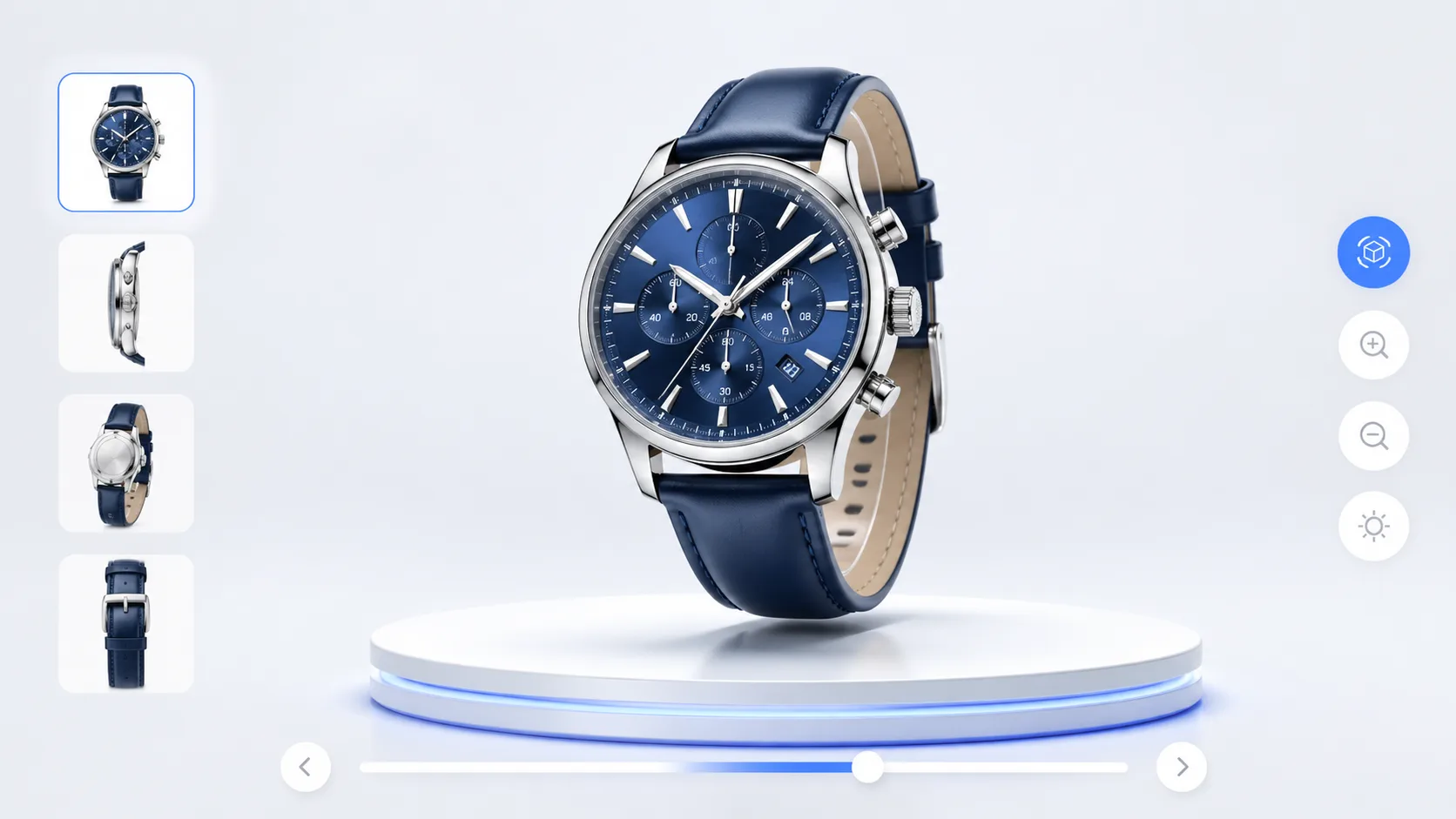
3D Gaussian Splatting has raised the bar for captured realism. But after a great 3dgs model lands in your repo, what’s the fastest path to a guided, conversion-ready web experience? xdreality sits above raw 3DGS assets to organize scenes into route-first room tours, product pages, and interactive flows—so teams can ship outcomes, not just files.
What a 3dgs model gives you—and what it doesn’t
A strong 3DGS capture delivers convincing lighting, parallax, and material cues from minimal input compared to traditional meshing. For product teams and creative technologists, that means faster time from reality to visually rich presence on the web.
However, an isolated 3dgs model is not yet a web experience. Gaps appear quickly:
- No opinionated navigation: users can float, get lost, or miss the story.
- Limited structure: multi-room journeys, product groupings, and variants aren’t defined.
- Sparse context: specs, pricing, and calls-to-action live outside the scene.
- Packaging hurdles: performance budgets, device compatibility, and delivery are non-trivial.
- No guided outcomes: there’s no route to complete a task, compare options, or convert.
Teams don’t just need higher-fidelity captures. They need a reliable way to plan routes, stitch scenes, add UI, and publish a measurable, interactive 3D experience to the web. That is where xdreality’s route-first model comes in.
Route-first: the organizing layer for tours, product pages, and flows
xdreality treats content as navigable routes rather than standalone scenes. This transforms 3DGS assets into structured journeys that match business intent.
Here’s what route-first enables:
- Waypoints and paths: define exact stops through rooms, aisle-to-aisle showroom flows, or product-to-accessory sequences.
- Scene collections: assemble multiple 3dgs model scenes into a single guided narrative with consistent UI and controls.
- Context at the right moment: reveal specs, pricing, or feature callouts aligned with each waypoint.
- Deep links and state: share a route stop or a configured product variant directly via URL.
- Outcomes by design: attach CTAs to steps—add-to-cart, book an appointment, request a quote, or continue to checkout.
With xdreality, the raw quality of 3D Gaussian Splatting is preserved while the experience layer becomes deliberate and repeatable across your catalog.
A practical pipeline from capture to web 3D model delivery
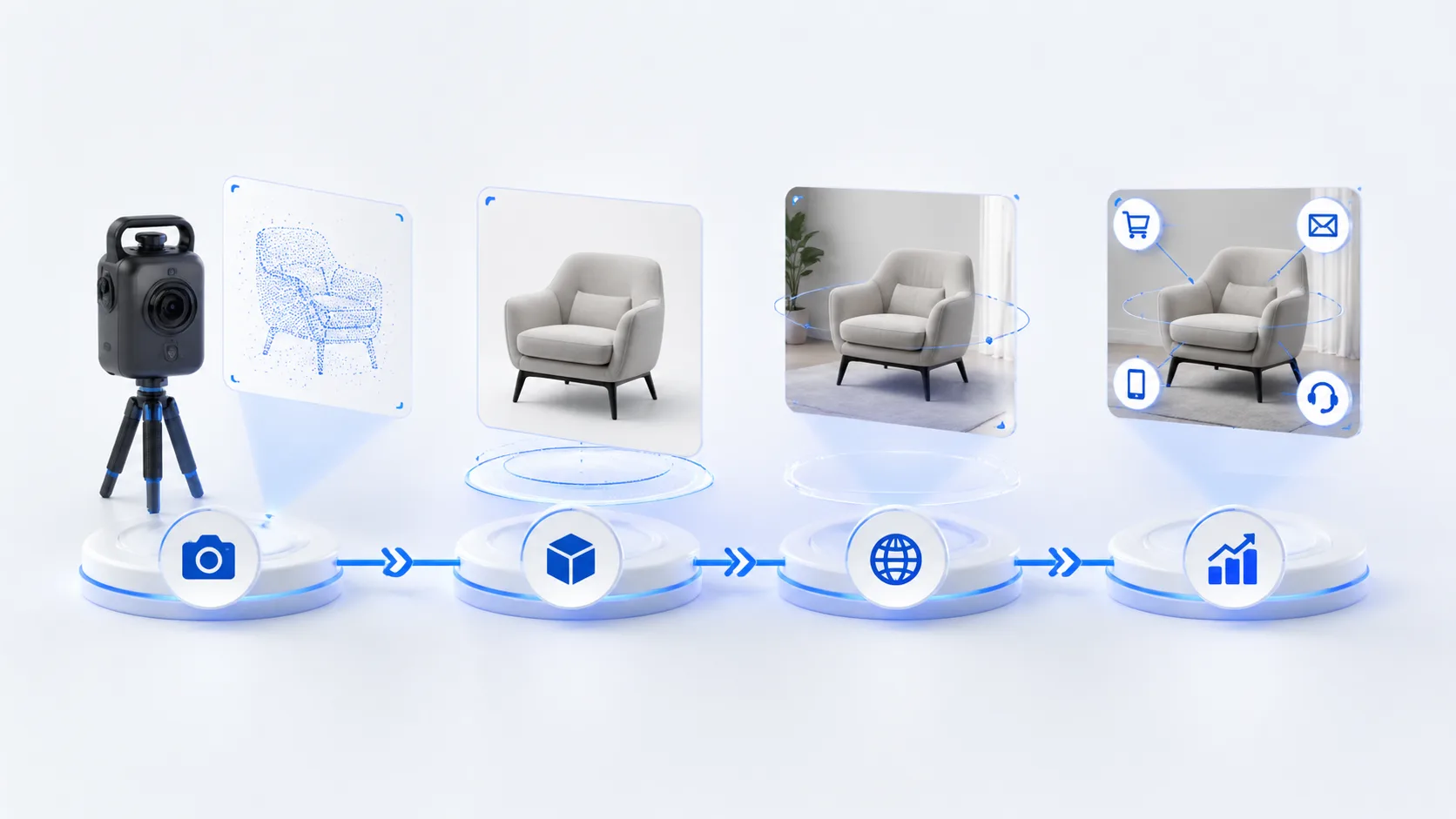
To make web 3D model delivery predictable, you need a pipeline that respects fidelity, performance, and narrative. A common pattern with xdreality looks like this:
- Capture and reconstruction: produce the 3dgs model from your chosen pipeline or vendor. Confirm core framing and coverage.
- Quality gate: validate alignment, exposure balance, and navigable volume. Confirm that key product features or room areas are represented.
- Scene segmentation: decide whether one scene or multiple 3DGS segments best map to the story (e.g., lobby, kitchen, bath; base model, premium trim, accessory kit).
- Route design: define waypoints, camera constraints, and default motion between stops. Prevent drift; highlight moments that matter.
- Hotspots and overlays: attach annotations, media panels, and feature cards triggered per waypoint or proximity.
- Product data binding: connect variants, specs, and pricing so toggles and CTAs reflect real catalog data.
- Performance packaging: right-size assets for target devices, set progressive load, and prefetch the next stop to keep motion fluid.
- Access and publish: pick sharing modes, deep-link entries, and embed snippets for product pages or microsites.
The result is a shareable, guided route that makes a sophisticated capture feel simple, purposeful, and fast for users.
Product pages and virtual showrooms powered by 3DGS
Whether you’re building a single product detail page or a multi-room showroom, xdreality turns 3DGS realism into shoppable or bookable context.
For product pages:
- Hero route: open at the key angle, then advance to detail waypoints—materials, ports, mechanisms, or scale references.
- Variant storytelling: switch trims, colors, or configurations while keeping the user in the same route and UI.
- Spec-on-demand: reveal spec sheets, dimensions, and compatibility notes linked to the exact hotspot.
- Decision CTAs: place add-to-cart, request-quote, or retailer locator at the stop where intent peaks.
For virtual showrooms and space tours:
- Room-to-room routes: guide visitors through curated paths—entry, hero zone, demo station, accessories, checkout.
- Collections and bundles: attach related products to the stop where they naturally fit the narrative.
- Staffed vs. self-guided: run the same route in self-serve mode on your site or presenter-led for live events and sales calls.
In both cases, the 3dgs model supplies believable visual presence; xdreality supplies structure, context, and outcomes.
Guided interactive 3D experiences that move users forward
A high-fidelity capture is necessary but not sufficient. The difference between “cool demo” and “business impact” is guidance.
xdreality’s guided flows let you:
- Define goals per route: discover key features, compare variants, book a consult, or complete checkout.
- Script progress: ensure users hit essential stops before branching to optional content.
- Personalize by role: designers see material libraries; buyers see pricing; operators see maintenance steps.
- Reuse moments: package a strong stop as a shareable deep link for campaigns and support docs.
- Instrument the journey: understand where users slow down, bounce, or convert so you can refine routes.
This is how an interactive 3d experience becomes repeatable across teams and channels—ecommerce, B2B sales, training, and events.
Performance, compatibility, and governance without guesswork
Delivering 3D on the web is as much about discipline as it is about visuals. xdreality helps production teams meet constraints without trial-and-error.
- Progressive delivery: prioritize above-the-fold waypoints; prefetch the next stop to keep motion smooth.
- Device-aware settings: tune density and sampling to match common mobile and desktop targets.
- Fallbacks: provide alternative media or angles for devices or networks that can’t render the full 3D Gaussian Splatting scene.
- Accessibility cues: pair visual hotspots with labels, captions, and keyboard navigation patterns.
- Version control: stage updates, compare changes route-by-route, and roll forward with confidence.
- Permissions: manage who can edit routes, attach product data, or publish embeds.
These guardrails let creative technologists focus on the experience while the platform handles predictable web 3D model delivery.
Measure, iterate, and scale across your catalog
Once a route is live, continuous improvement turns one strong experience into a system.
- Define KPIs per route: stop completion, variant interaction, CTA activation, and time-to-convert.
- Compare patterns: which rooms or features earn the most attention, and which need clearer guidance?
- Optimize pacing: shorten low-value hops, add micro-stops where users hesitate, and surface CTAs earlier if intent is high.
- Scale templates: replicate proven route structures to new products or spaces with consistent UI and behavior.
This loop—capture, route, measure, refine—keeps your 3DGS content performing over time rather than aging into novelty.
Why xdreality for teams shipping 3D to the web
- Built for routes: organize scenes into tours, product pages, and guided flows without bespoke engineering.
- Content, not just files: bind product data, pricing, and CTAs directly to waypoints.
- Repeatable delivery: package performance, compatibility, and accessibility into your publishing routine.
- Team-ready: roles, versioning, and deep links make collaboration practical across product, design, and engineering.
If your team is evaluating 3D Gaussian Splatting for quality but needs a practical path to web-ready outcomes, xdreality is the layer above raw assets that turns a 3dgs model into a structured, interactive 3d experience.
Related reading and next steps
If you are mapping out a full 3DGS publishing workflow, these guides pair well with this article:
- 3DGS Lightweight Delivery for Faster Web Experiences for route-scoped optimization, lighter delivery, and step-aware streaming.
- 3D Agent and Skill Workflows for Content Production for turning capture, labeling, copy, and publishing into a repeatable workflow.
- Product Showcase if you want to turn a 3DGS model into a guided product page.
- Virtual Showroom if you need multi-scene storytelling for collections, sales demos, or launches.
- Room Tour if your use case centers on guided space navigation and room-by-room storytelling.
- Create a Product Experience if you want to start from a real product workflow instead of a blank canvas.
Ready to see your captures become conversion-ready pages?
Book a demo and we’ll walk through how your 3D assets map to route-first room tours, product pages, and guided flows—and how quickly you can publish them to the web.