
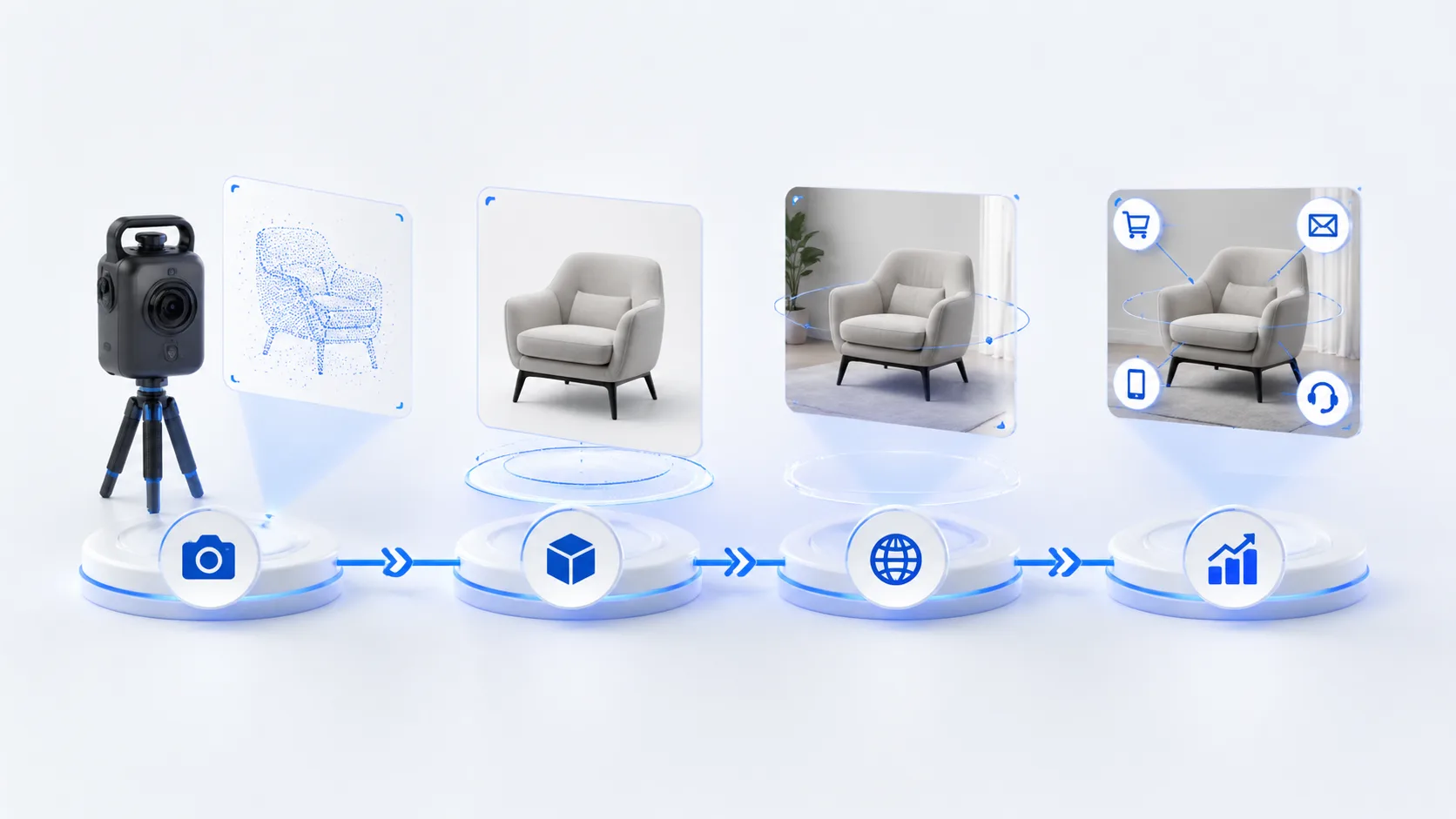
Teams often compare 3D Gaussian Splatting (3DGS) and meshes by visual quality alone. On the web, that’s only half the story. The real decision is how each format supports the experience you’re trying to ship—routes, guidance, latency budgets, and measurable conversion. This guide reframes 3dgs vs mesh for web 3D delivery and shows how xdreality helps you operationalize the tradeoffs.
What you’re really choosing: representation vs route
3DGS and meshes are scene representations. Your users don’t buy a representation—they follow a route. They enter a room tour, tap a hotspot, compare finishes, or go straight to checkout. If your evaluation stops at visual fidelity, you miss how the format affects:
- How fast a scene becomes interactive on mobile networks
- Whether you can route users through a story without getting lost
- How reliably product states (variants, annotations, CTAs) respond to user input
- How well analytics map 3D behavior to business outcomes
A route-first mindset treats the 3D format as a delivery detail, not the experience definition. With xdreality, your routes, waypoints, and guided flows sit above the renderer. You can choose 3DGS for a space and meshes for products—or vice versa—without rewriting how you guide, measure, and convert.
Visual fidelity vs controllability
3DGS excels at photoreal, view-dependent detail from captured scenes. Meshes excel at controllable, physically grounded interactivity. Both can look great; the question is what you need to control.
-
3DGS strengths
- High realism and soft detail in captured environments
- Natural parallax and reflections from the capture
- Fast to produce from scans or video pipelines
-
3DGS considerations
- Relighting and material overrides are non-trivial
- Precise physics, parametric edits, and Boolean operations are limited
- Content updates often require reprocessing the capture
-
Mesh strengths
- Standard PBR materials, lighting, and shadows
- Reliable hit-testing, collisions, and physics with common libraries
- Fine-grained control for variant swaps, configurators, and product states
-
Mesh considerations
- Authoring requires modeling/retopology and UV workflows
- Requires careful optimization (LODs, texture budgets) to meet web performance targets
If the experience is a guided room tour or mood-led showroom, 3DGS can be compelling. If it’s a 3D product page with color, size, and accessory toggles, meshes typically offer the control you need. Many teams blend both: a 3DGS space for ambience plus mesh products for interactions—xdreality keeps that hybrid experience coherent.
Performance and streaming on the web
Your web 3D budget is shaped by device variance and network conditions. The delivery question is not just “How big is the file?” but “How quickly does a guided moment become usable?”
-
3DGS delivery patterns
- Rendered with specialized point-based pipelines over WebGL or WebGPU
- Progressive loading can prioritize visible splat clusters and route-adjacent regions
- Mobile coverage and frame pacing vary by scene complexity and renderer configuration
-
Mesh delivery patterns
- Broad engine and browser support via glTF
- Mature compression (Draco, meshopt), texture streaming, and level-of-detail strategies
- Predictable performance for UI-driven states (hotspots, variant toggles, AR handoff)
-
Shared best practices
- Defer non-critical geometry and textures until a route step requires them
- Pin your first meaningful paint (FMP) to the first waypoint, not the entire scene
- Use device targeting to adjust shader cost, shadow quality, and LODs
- Keep interactivity responsive even while background assets stream
With xdreality, you define the route, then bind assets to steps. The platform coordinates streaming so your first waypoint is reliably interactive—whether that means priming mesh LODs or front-loading 3DGS tiles around the initial camera. You focus on the journey; we optimize the handoffs.
Interactivity, guidance, and conversion
A beautiful 3D scene that lets users drift without intent can underperform. The web needs scannable wayfinding, clear CTAs, and measurable progress.
-
Guidance
- Camera rails and waypoints keep users on a purposeful path
- Hotspots highlight what matters at each step
- Story blocks and microcopy introduce the next action in context
-
Interactivity
- Meshes support fine-grained picking, snapping, and physics-influenced states
- 3DGS supports view-led exploration and can pair with 2D UI cues for clarity
- Hybrid flows place highly interactive meshes inside immersive 3DGS spaces
-
Conversion
- Tie route steps to business events: variant viewed, add-to-cart click, lead form opened
- A/B test different story orders without touching the underlying 3D assets
- Keep CTAs anchored to waypoints so they remain discoverable on small screens
xdreality is built for guided interactive experiences. Define routes once; attach hotspots, annotations, and CTAs that work whether your scene is 3DGS, mesh, or both. Analytics map 3D route progression to marketing and product KPIs, turning “looks great” into “performs great.”
Production workflow and maintenance
Format choice also affects how you source, update, and localize content.
-
Source of truth
- 3DGS often starts with capture (photogrammetry or video-based scanning). Great for spaces, less flexible for parametric product changes.
- Meshes often start with CAD or DCC tools. Great for configurators, product families, and ongoing design updates.
-
Iteration model
- 3DGS updates may require partial or full reprocessing of the capture to reflect changes
- Mesh updates can target specific submeshes, materials, or textures, keeping diffs small
-
Localization and variants
- Mesh pipelines expose text, decals, and material swaps cleanly for regional variants
- 3DGS can pair with overlay UI and route-specific content for localized messaging
-
QA and rollout
- Device matrices vary widely. Use route-based testing to check performance budgets per step
- Stagger rollouts by route so you can validate the moments that drive business outcomes first
xdreality streamlines this by splitting “experience logic” from “asset representation.” Routes, waypoints, UI, and analytics live in the experience layer, while the asset layer can be 3DGS, mesh, or both. That keeps your iteration cycles fast even when asset formats differ across teams or vendors.
How xdreality makes 3DGS vs mesh a solvable decision
xdreality is a route-first 3D platform for room tours, virtual showrooms, 3D product pages, and guided interactive experiences. We help teams publish compelling web 3D regardless of the underlying format, and we make the tradeoffs around storytelling, performance, and delivery easier to operationalize.
What this looks like in practice:
-
Multi-format ingestion and rendering
- Publish experiences that use 3DGS, meshes, or a hybrid—without reauthoring your routes
- Consistent controls, hotspots, and CTAs across representations
-
Route-first delivery
- Define waypoints and flows; xdreality streams only what a step needs first
- Device-aware presets balance fidelity and responsiveness per route
-
Commerce and product storytelling
- Mesh-based configurators for variants and accessories
- 3DGS-led ambience for rooms and showrooms, with embedded product callouts
-
Operational clarity
- Analytics tied to route progress, not raw frames per second
- A/B test story order, hotspot placement, and CTA timing
- Collaboration across 3D teams, frontend engineers, and product marketers with a shared route model
With xdreality, 3DGS vs mesh stops being a blocker. You can adopt the format that fits each moment in your story and still ship a cohesive, measurable, and fast web experience.
Quick decision guide: 3D Gaussian Splatting vs mesh
Use these practical heuristics to move fast:
-
Choose 3DGS when
- You’re showcasing a captured space where ambience and view-dependent detail matter
- The core interactions are guided exploration and storytelling, not deep parametric control
- You can pair the scene with clear, route-driven UI for navigation and CTAs
-
Choose mesh when
- You need reliable picking, collisions, and physics-informed interactions
- You’re running a 3D product page with variants, materials, and add-ons
- You want predictable performance across a wide device range using standard web pipelines
-
Choose hybrid when
- A 3DGS environment sets the mood, and mesh products carry the interaction load
- You need the best of both worlds without compromising your route or analytics
xdreality supports all three approaches with a consistent experience layer, so teams don’t have to standardize prematurely or sacrifice storytelling for performance.
The takeaway
The question isn’t just 3dgs vs mesh. It’s how each format supports your route, your guidance, and your conversion goals on the web. 3DGS can deliver striking realism for spaces. Meshes offer reliable control for product interactivity. The winning strategy is to pick the right tool for each moment and keep the experience layer stable.
xdreality makes that strategy actionable: route-first authoring, multi-format delivery, and analytics that map 3D behavior to outcomes. Publish room tours, showrooms, and product pages that feel fast, stay on-message, and convert.
Related reading and next steps
- From 3DGS Model to Web for the capture-to-route foundation behind guided 3D publishing.
- 3DGS Lightweight Delivery for Faster Web Experiences for the performance side of route-scoped streaming and lighter delivery.
- 3DGS for Ecommerce Product Pages for turning realistic 3D assets into conversion-focused PDPs.
- Product Showcase if your main goal is guided product storytelling with strong CTAs.
- Virtual Showroom if you need multi-scene narrative and comparison flows.
Ready to review which 3D delivery approach fits your web experience goals? Connect with xdreality to evaluate 3DGS, mesh, or a hybrid route-first plan for your next launch.