
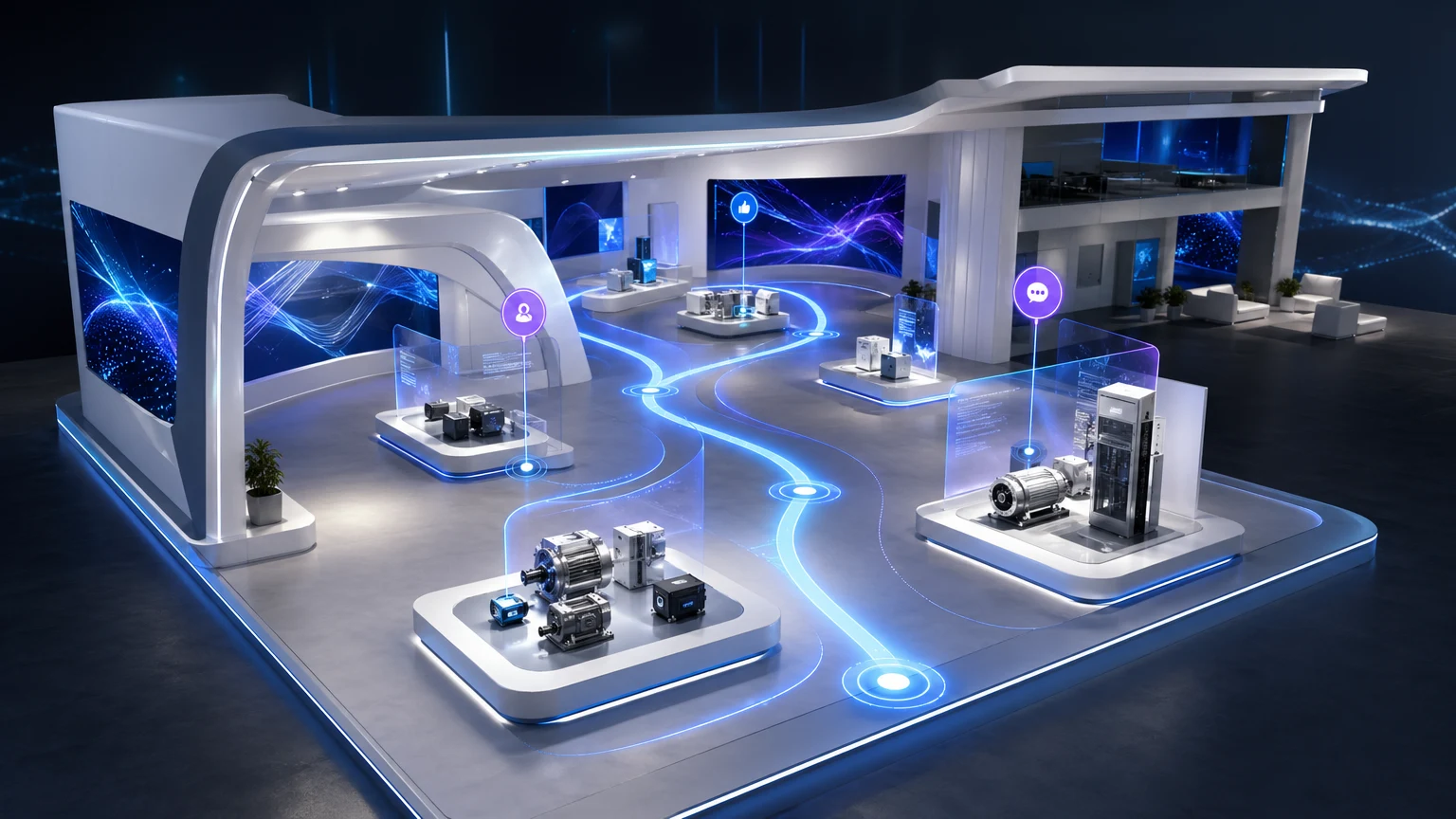
After an event, your prospects leave energized—and then the story fades. A PDF recap can’t carry the momentum of your booth, and scattered links break the narrative. What you need is a follow‑up destination that keeps your product context intact and invites people to explore on their own terms.
xdreality is built for room tours, virtual showrooms, 3D product pages, and guided interactive experiences. It transforms your event storytelling into a persistent, interactive follow-up page with navigable sections and guided highlights, so the conversation continues long after the booth comes down.
The post‑event gap: why static recaps lose the narrative
Trade show energy comes from context: where a product sits, how it’s used, and the path a rep takes through the story. Traditional follow‑up assets strip that away.
Common failure points:
- Fragmented links: One email with a dozen URLs forces prospects to assemble the story themselves.
- Flat content: PDFs and slide decks reduce an experiential demo to pages and bullets.
- No path to explore: Visitors want to revisit the booth flow or jump to the part they care about—neither is easy with static files.
- Thin insight: File opens tell you little about what resonated or where interest drops.
Digital showroom software solves this by packaging your narrative inside a single, guided destination that lets people navigate, replay key moments, and self‑discover details—without losing the cohesion of your booth experience.
Digital showroom software, guided by design
Most "virtual tour" tools mimic a website. xdreality is guided by design, meaning the experience is built around the path you want audiences to take.
What guided sequencing means for your follow-up:
- Navigable sections: Break your story into rooms, zones, or product areas—each with a clear label so buyers know where to go.
- Guided highlights: Curated stops that mirror your booth script, spotlighting must‑see features and value moments.
- Self‑serve exploration: Prospects can follow the recommended route or jump directly to the segment that matters to them.
- Persistent context: Media, specs, and calls to action live inside the 3D environment, so the narrative never fragments.
The result is an interactive brand showcase that keeps your products in context and your message intact—perfect for trade show follow‑up.
Turn your booth into a post‑event demo page with xdreality
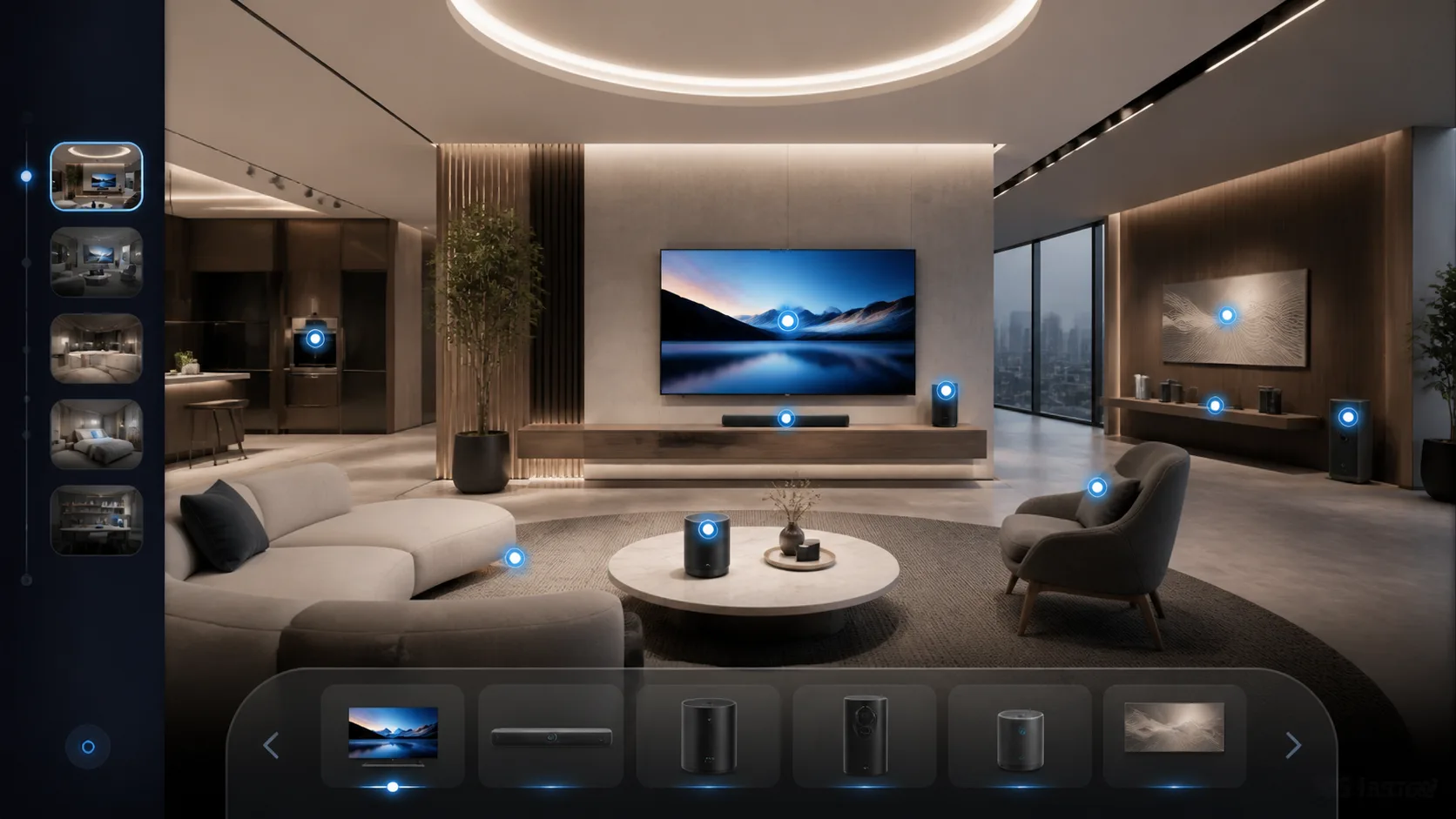
xdreality converts your event storytelling into a post‑event destination that feels like your booth, not a recap. Here’s how brand and field teams typically build it:
- Map the zones: Identify the spaces you used at the event—hero entrance, category walls, demo stations, and the finale.
- Define the route: Choose the sequence visitors should follow, from big vision to product proof to next steps.
- Add guided highlights: Attach concise, skimmable story points to each stop—feature callouts, short clips, and visuals.
- Bring assets into context: Embed demos, spec sheets, and sign‑up forms inside the relevant zone, so buyers don’t lose their place.
- Use clear navigation: Section labels and progress markers encourage completion and reduce drop‑off.
- Share as your follow‑up page: Send one link after the show and keep it live as a post‑event demo page on your site or campaign hub.
Because the experience is structured around your path, every click reinforces the narrative you delivered on the floor without requiring a rep on a call to explain it.
Playbooks for brand and field marketing teams
Whether your goal is pipeline follow‑up or broader brand reach, xdreality gives you a reusable showroom that fits multiple workflows.
- Lead follow‑up: Send a single link within 24–72 hours. Highlight the exact zones the visitor saw, plus one related product they missed.
- Sales enablement: Arm reps with a guided tour they can screen‑share or send before a meeting to align on vocabulary and context.
- Partner amplification: Give distributors a co‑branded route with the core story intact and localized highlights where needed.
- Launch campaigns: Turn your event hero area into a sharable product page that blends 3D storytelling with key specs and CTAs.
- Always‑on showroom: Keep the experience live year‑round for recruiting, training, or demand gen—no need to rebuild after each show.
Because the content sits inside a single interactive destination, you maintain brand consistency while letting teams tailor emphasis by audience.
Measuring impact and learning fast
Post‑event success isn’t just who clicked your email—it’s who actually explored your story. With a digital showroom, you can learn from behavior and improve fast.
Useful signals to track:
- Section visits: Which zones attract the most attention.
- Highlight engagement: Which guided moments keep viewers moving.
- Time in experience: How long visitors stay within your narrative.
- CTA interactions: Clicks on request‑a‑demo, sample requests, or contact forms.
- Return visits: Who comes back via your nurture sequence.
Simple optimization loops:
- Tighten highlights: Shorten or split long stops to increase completion.
- Reorder sections: Lead with the zone that performs best for your audience.
- Align CTAs: Match next steps to the context of each zone to reduce friction.
- Segment links: Use distinct links for leads, partners, and press to isolate performance by audience.
These insights help brand and field teams quickly iterate—turning each event into a learning cycle rather than a one‑off splash.
Related next reads for showroom follow-up and brand rollout
Trade-show follow-up usually sits inside a broader showroom system. The most useful adjacent pages are:
- Virtual Showroom Guide for Furniture Brands: if your team wants the long-term showroom structure behind event follow-up.
- Virtual Showroom Embed for Brand Websites: if the next step is keeping the experience on your own site instead of in a campaign silo.
- Interactive Showroom for Kitchen & Bath Brands: if your use case depends on room-level product configuration and dealer education.
- Digital Showroom Software for Trade Show Follow-Up: if you want the direct commercial route page behind this article.
Implementation checklist for your next show
A little planning turns your post‑event showroom from a scramble into a fast, repeatable motion.
Before the event:
- Define the narrative: Outline 4–6 must‑hit moments—problem framing, hero reveal, proof, and next step.
- Capture assets in context: Short videos, 3D product views, annotations, and hero stills for each zone.
- Prepare CTAs: Decide the primary ask per zone—book a meeting, get a sample, or download a spec pack.
- Set tracking links: Use campaign tags so you can measure channel‑level performance post‑show.
At the event:
- Record the walkthrough: Film a concise pass of the route to inform highlight copy and cadence.
- Note FAQs by zone: Capture objections and curiosities so you can address them in‑context.
After the event (48–72 hours):
- Build the route: Create your navigable sections in xdreality and add guided highlights.
- Drop in assets: Place demos and documents where they naturally belong in the flow.
- Publish and share: Send one link to all leads; segment messaging by audience.
- Nurture with intent: Follow up with a brief reminder that points directly to the most relevant zone.
Pro tips:
- Keep highlights short: Aim for concise, scannable moments that invite interaction.
- Label clearly: Use plain‑language section names—no internal jargon.
- Focus the ask: One primary CTA per zone prevents choice overload.
- Update in place: Refresh assets within the same link so your follow‑up never goes stale.
Why xdreality for post‑event follow‑up
xdreality was built for guided experiences, exactly what post-event storytelling requires. With a focus on navigable sections and guided highlights, it gives you a single link that:
- Preserves context: Your products live in the environments and sequences that make them make sense.
- Scales your story: Prospects, partners, and internal teams can explore the same narrative independently.
- Reduces friction: No juggling tabs; everything sits where it belongs in the showroom.
- Stays useful: Update content and keep using the same destination for campaigns beyond the show.
Instead of sending prospects back to a flat brochure, you send them back to the experience they remember—now available on their time, with clear paths to act.
Ready to keep your booth story alive and working?
See how to turn event traffic into a persistent showroom experience with xdreality. Request a quick walkthrough and get a sample post‑event demo page you can share with your next follow‑up.