
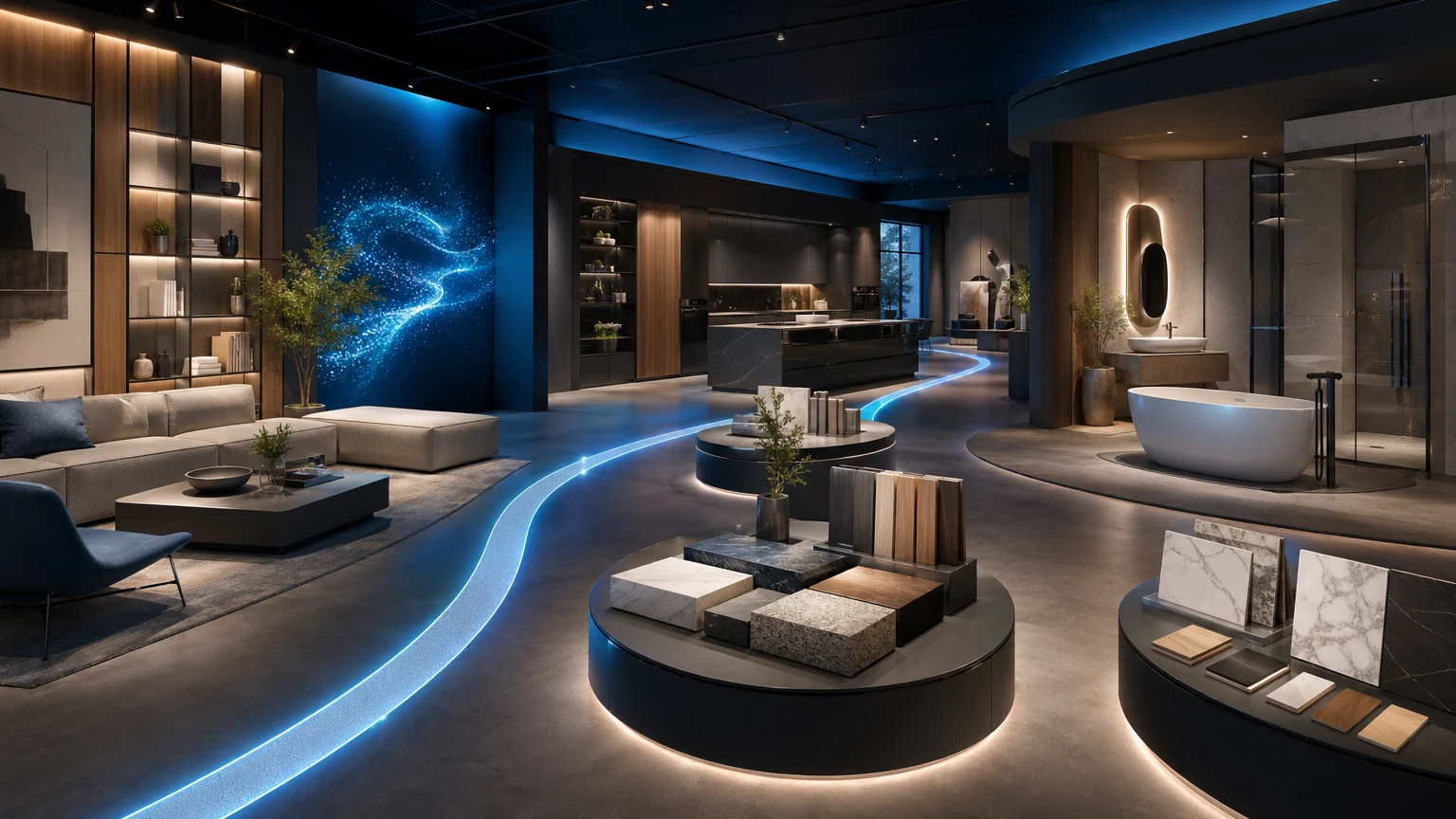
Brands work hard to craft a site experience that leads shoppers from discovery to purchase. But when a showroom sits off-site, that journey breaks. xdreality’s virtual showroom embed keeps your 3D experience inside your domain, aligned with your navigation, content, and conversion path—so you own the story and the outcome.
Why embed your virtual showroom on your own site
A virtual showroom is most powerful when it’s part of your brand website, not adjacent to it. An embedded showroom ensures your team controls the frame around the experience—navigation, messaging, merch rules, and CTAs—while giving shoppers the depth and clarity of 3D.
Key reasons brand website teams choose a virtual showroom embed:
- Keep shoppers on-domain and on-route, without opening new tabs or micro-sites
- Maintain brand navigation, breadcrumbs, and SEO context around the experience
- Place conversion CTAs exactly where you need them: add to cart, find a store, request a quote
- Align assortment and messaging with the surrounding collection page, rather than a one-size-fits-all off-site tour
- Measure engagement alongside the rest of your site analytics
With xdreality, the showroom stays embedded and responsive, so it looks and feels native on homepage features, collection pages, and product-level storytelling.
Guided 3D that merchandises like your site
xdreality is built for room tours, virtual showrooms, 3D product pages, and guided interactive experiences. The point is that every step is intentional: scenes, hotspots, and interactions are defined to map to how you want people to shop.
For merchandisers, that translates to control:
- Curate guided paths that mirror your seasonal story or buyer journey
- Spotlight hero sets, colorways, and bundles with clear next steps
- Use hotspots for product context, swatches, and comparison without losing the shopper’s place
- Deep-link to specific scenes or product states for campaigns and email
Routes also make A/B testing straightforward. You can iterate on the order of scenes, emphasis, and CTAs while keeping the embedded framework stable on your brand website.
Preserve navigation, context, and CTA control
The most common objection to 3D experiences is loss of control: links that jump off-site, unfamiliar UI, and friction at the moment of intent. xdreality solves this with a virtual showroom embed designed to inherit your site shell.
What the embed preserves:
- Your header, footer, and breadcrumbs stay in place
- Your collection copy, SKU badges, and trust signals remain visible
- Your CTAs stay yours: add to cart, save to wishlist, appointment booking, contact sales
- Your URL structure and deep links work with your routing and campaign tags
Because the showroom is embedded, you can decide how and when to show it:
- Inline within a collection grid as an “interactive collection page” module
- Full-bleed on a seasonal landing page with editorial above and below
- As a modal or drawer for guided product discovery
- As a route on your site, keeping the same header and nav
The result is an embedded showroom that supports your existing templates rather than replacing them.
Design an interactive collection page that converts
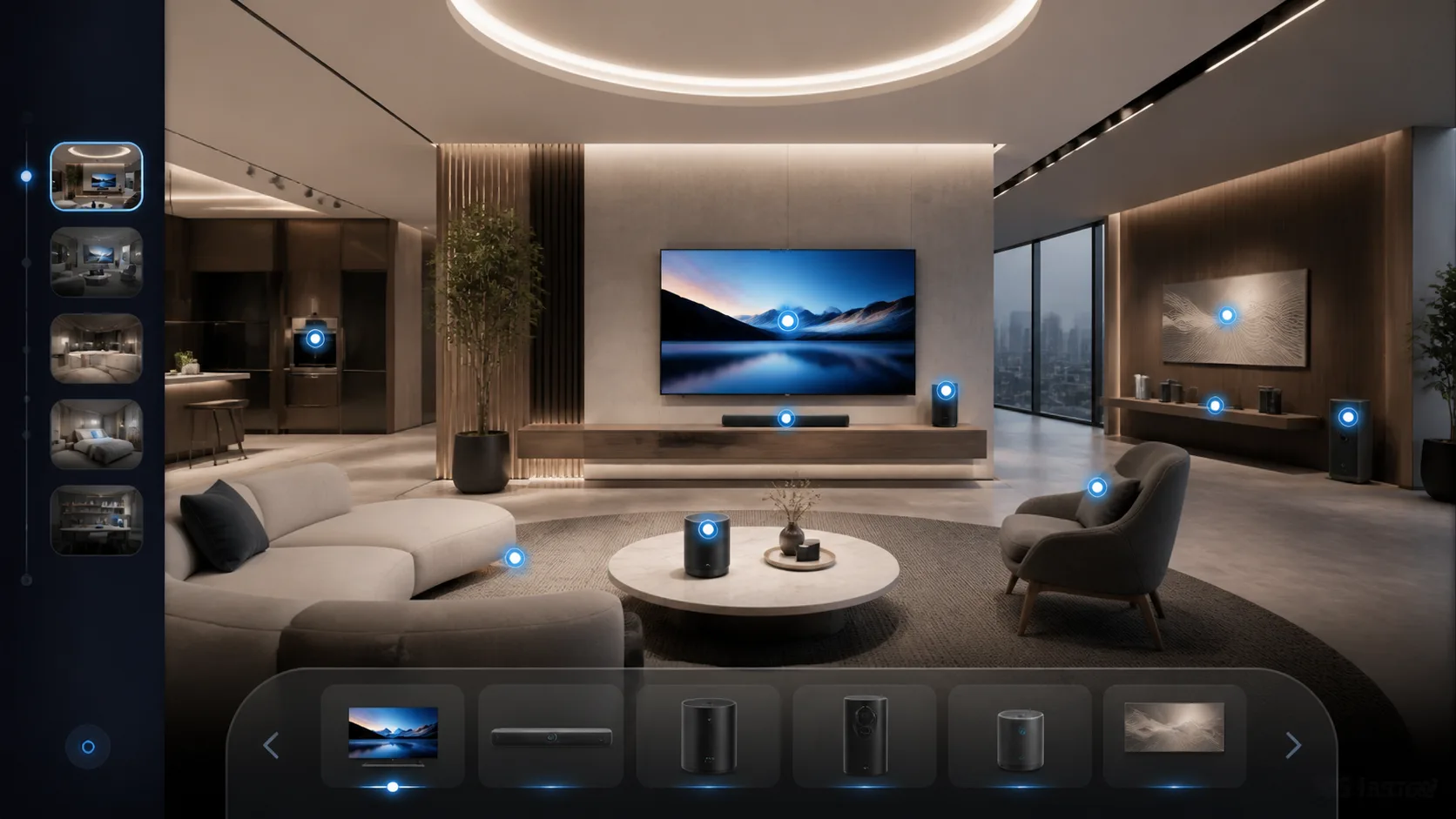
A great embedded showroom is not just 3D—it’s a precise merchandising tool. Here’s a proven structure that brand website teams use with xdreality:
- Above the fold: a concise headline and subhead that set the promise of the collection
- The embedded showroom: a guided route through 3–6 curated scenes
- Context blocks: short copy, benefit bullets, and photography to reinforce the 3D view
- Conversion zone: PDP cards or quick-add CTAs synchronized with the current scene
- Social proof: press quotes or UGC thumbnails tied to products in the route
Practical tips:
- Keep scenes focused. Each route step should answer a question: What’s new? What’s compatible? What’s the finish difference?
- Connect variants. Let shoppers switch color or size in the showroom and reflect that in the adjacent PDP card.
- Respect scanning. Use concise hotspot labels and progressive disclosure for details.
- Guide onward. Every scene should feature a clear next action: add to cart, view the PDP, book a consult, or continue the route.
xdreality’s embedded showroom allows product metadata to flow into the experience, so shoppers never lose context about price, stock state, or variant.
Implementation and performance for web teams
Embedding should be simple and fast for your devs, predictable for your CMS, and smooth for your users. xdreality is built for that handoff.
Highlights for implementation:
- Flexible embed targets: slot into any template region—hero, mid-page, or sticky panel
- Mobile-first behavior: touch gestures, portrait-friendly layouts, and thumb-reachable controls
- Lazy loading: defer heavy assets until the module enters the viewport
- Asset streaming: prioritize the current route step and prefetch the next for seamless movement
- Accessibility: keyboard navigation, focus management, alt text for key visuals, and motion preferences
- Privacy and governance: events respect your analytics consent mode and tagging structure
If your stack includes a PIM or ecommerce platform, map SKUs so that the showroom shows real products and variants. When a shopper interacts with a product in the embedded showroom, your site can update the PDP card, quick-add, or lead form without a page refresh.
Common rollout patterns:
- Seasonal campaign: place the embedded showroom on a collection landing page
- Always-on guide: add it as an interactive collection page module across core categories
- Product storytelling: integrate a focused showroom on hero PDPs to show context of use
The outcome is a consistent pattern your team can replicate without bespoke builds each season.
Analytics and merchandising optimization
You need to see what the embedded showroom is doing for discovery and conversion. xdreality emits structured events that align with typical analytics and BI stacks, so you can connect 3D interactions to downstream actions.
What to track:
- Scene views and completion rate per route
- Hotspot opens, variant toggles, and time-in-view
- CTA clicks to add to cart, request a quote, or find a store
- Drop-off points to identify confusing steps or overloaded scenes
How merchandisers use the data:
- Promote scenes with high engagement to earlier steps in the route
- Remove or split steps that stall progression
- Align PDP copy and assets with the most-viewed hotspots
- Trigger recommendations based on the last scene viewed
Because the virtual showroom embed lives on your site, these signals sit alongside your existing funnels, helping you optimize the entire path without piecing together off-site analytics.
Related next reads for brand-site showroom rollout
If this embed question matches the project you are working on, the most useful adjacent pages usually sit one step upstream or downstream of the brand-site rollout:
- Virtual Showroom Guide for Furniture Brands: if you want the larger showroom strategy behind the embedded experience.
- Interactive Product Showcase for Furniture Ecommerce: if the next step is drilling from the room story into a single PDP conversion story.
- Digital showroom software for trade show follow-up: if the embedded showroom also needs to support post-event campaigns and sales follow-up.
- Virtual Showroom Embed for Brand Websites: if you want the direct commercial route page behind this implementation path.
Embedded showroom governance for brand teams
An embedded experience touches content, design, and performance. Create a light governance model so updates are smooth and on-brand.
Recommended roles and guardrails:
- Merchandising sets the route, product mix, and prioritization
- Content crafts copy for scenes, hotspots, and micro-CTAs
- Design defines UI tokens so the embedded showroom inherits your brand system
- Web devs own placement, loading strategy, and analytics mapping
- QA checks accessibility, device behavior, and variant accuracy
With this framework, you can ship new routes quickly for seasonal collections or launches without reinventing templates.
How xdreality keeps your brand website showroom on track
xdreality was built for embedded control. The platform:
- Keeps the virtual showroom inside your domain and template structure
- Preserves your navigation, context blocks, and conversion CTAs
- Powers guided 3D storytelling across room tours, showrooms, and product pages
- Supports deep links for campaigns and editorial
- Streams assets for fast, responsive interaction on mobile and desktop
The result is an embedded showroom that feels native to your brand website and acts like a high-performing, interactive collection page—without sending shoppers elsewhere.
Next step: review an embedded showroom rollout
Ready to evaluate how an embedded showroom fits your site? Here’s a quick review plan:
- Identify one collection or launch with clear differentiation
- Define a 4–6 step route that answers key buyer questions
- Map SKUs and variants to each scene; select the right CTAs for each step
- Choose placement: hero embed for a campaign page or mid-page module for a category
- Set up analytics events to track scene progression and CTA clicks
- QA on mobile, then launch and iterate on route order and hotspots
Want a walkthrough tailored to your stack and templates? Contact xdreality to review an embedded showroom rollout and see how it can live inside your site—keeping navigation, context, and CTAs fully in your control.