

Shoppers want to learn by doing. But sending them to a separate 3D page or launching a modal that buries your Add to Cart can derail the purchase. This is where a 3D product viewer embed shines—keeping interaction, context, and CTA on the same Shopify product page.
xdreality is designed for room tours, virtual showrooms, 3D product pages, and guided interactive experiences. For Shopify teams, that means an embedded 3D viewer that feels native to the PDP and supports a clean purchase flow.
Why a 3D Product Viewer Embed Belongs on the PDP
A 3d product viewer embed earns its keep when it strengthens intent without adding friction. Keeping the experience anchored to your Shopify 3D product page offers clear advantages:
- Context stays intact: Specs, pricing, reviews, and merchandising blocks remain visible and familiar.
- CTA remains primary: Add to Cart and variant selectors don’t get hidden behind separate pages or full-screen takeovers.
- Faster decision-making: Shoppers explore details right where they buy—no tab-hopping, no backtracking.
- Mobile-first continuity: Embedded interaction respects small screens and thumb zones, so the path to purchase stays short.
If your goal is deeper interaction without detours, an embedded product viewer on the PDP is the most reliable path.
Guided 3D: What It Means for Shopify Teams
Most 3D tools focus on the canvas. xdreality structures each viewpoint and narrative moment as an intentional step, with camera framing, annotations, and UI state. In practice, this unlocks shopper-friendly flows inside your Shopify PDP:
- A guided hero: Start with a clear, on-brand angle that instantly communicates value.
- Feature deep dives: Tap hotspots to jump between routes that highlight materials, mechanisms, or sizing context.
- Variant context: Routes can mirror common states (e.g., colorways or configurations) so shoppers see what they’ve selected without leaving the page.
- Add-on education: Use a route to show compatible accessories or bundles, right beside your merchandising blocks.
- Compact by design: Routes keep the story tidy so your PDP feels structured, not chaotic.
Because these steps are intentional, the interaction never “floats away” from your page content or CTA. Buyers stay oriented and focused on buying.
How to Embed xdreality on a Shopify 3D Product Page
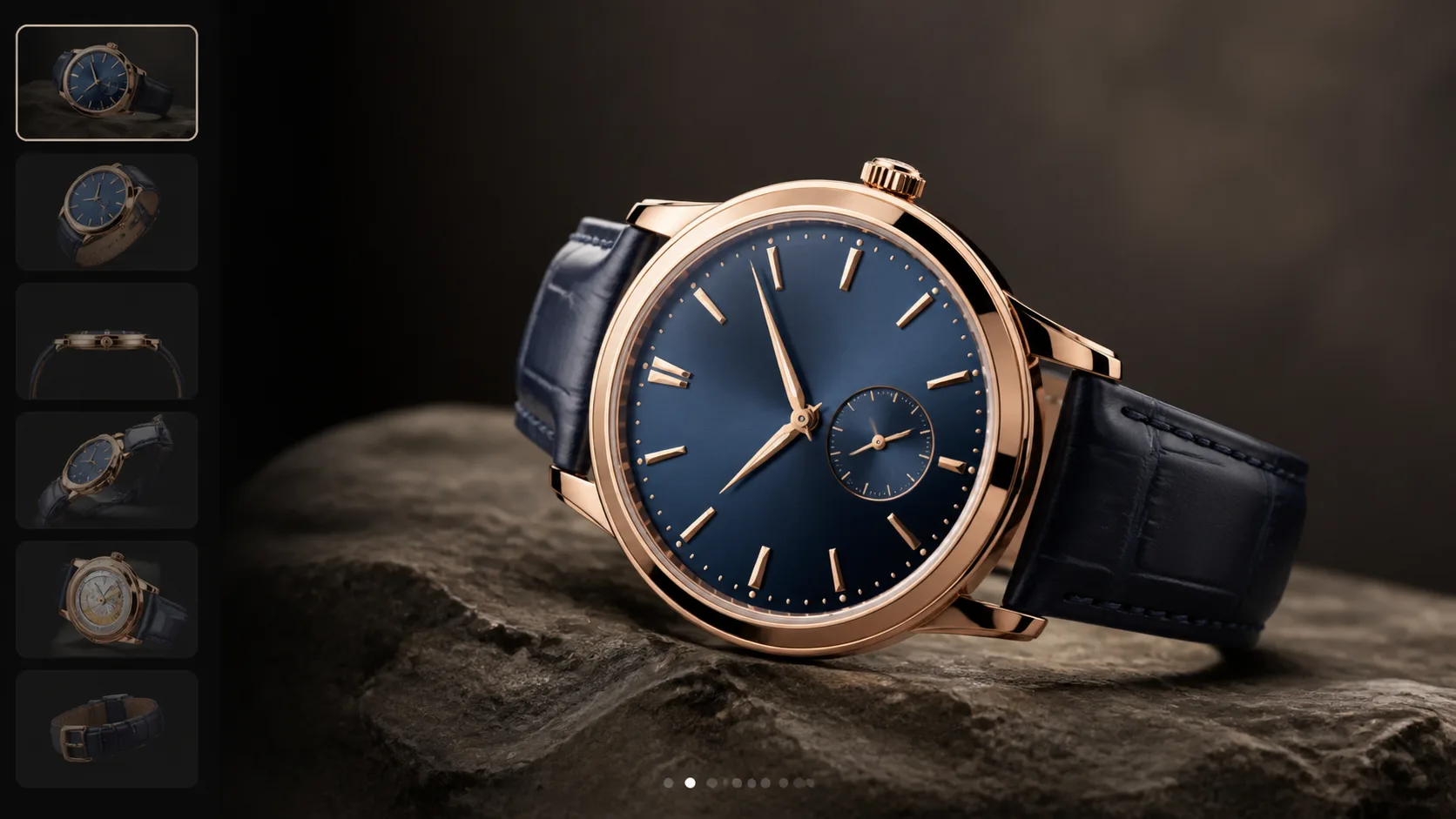
You don’t need to refactor your theme to add an interactive ecommerce embed. Plan the narrative, publish your viewer, and drop it into the PDP where it adds the most value.
A typical flow looks like this:
-
Define the goal of interaction
- What decision should 3D help with? Examples: confirm material quality, validate fit, compare options, understand a mechanism.
-
Map the story to routes
- Draft 3–6 route moments: a strong hero, two or three feature callouts, and a final route that keeps the CTA visible.
-
Publish the viewer
- Export your xdreality experience and generate an embed that fits your storefront’s layout.
-
Place the embed on the PDP
- Insert it via a custom section or block, keeping nearby elements (title, price, variants, CTA) in view.
-
Connect interaction to shopping context
- Align route names and captions with your product copy so shoppers don’t have to translate.
- Optionally mirror variant choices with routes so selection instantly updates the scene.
-
Keep the CTA in reach
- Ensure Add to Cart remains visible or sticky on mobile.
- If your design includes a viewer-level CTA, have it point to the same cart action as your primary button.
-
QA on real devices
- Check load time, zoom/rotate comfort, and whether any UI overlaps or obscures price, options, or CTA.
This keeps the 3D layer additive—never obstruction.
Designing Interactions That Convert
A strong embedded product viewer is purposeful, not ornamental. Use these patterns to keep shoppers engaged and moving forward:
-
Lead with clarity
- The first frame should explain the product faster than a paragraph can. Favor angles that communicate size, form, and “what’s special.”
-
Trim the controls
- Offer simple rotate/zoom and keep secondary tools tucked away. The less clutter, the more attention on the product.
-
Use guided routes over free-roam
- Let shoppers take quick, meaningful jumps—“Materials,” “How it folds,” “In the bag”—instead of wandering.
-
Make hotspots do real work
- Each hotspot should earn its place: a spec, a motion, a texture, a before/after state. Label with plain language.
-
Match copy to PDP language
- Mirror the names used in options, spec tables, and FAQs. Consistent wording reduces friction.
-
Keep the CTA ever-present
- The embedded product viewer shouldn’t push Add to Cart out of sight. On mobile, prioritize CTA stickiness.
-
Respect session time
- Rich interaction is a means to a decision, not a goal in itself. Use routes to quickly resolve doubts, then invite the add.
-
Provide a clear exit path
- Make it obvious how to scroll past the viewer and continue reading reviews, FAQs, or shipping details.
Performance, SEO, and Accessibility—Built In, Not Bolted On
An embedded product viewer should feel like part of your storefront, not a heavy add-on. Keep these standards in mind:
Performance
- Lazy-load the 3D experience and show a crisp poster image first.
- Defer heavier assets until the viewer is in view or the shopper interacts.
- Optimize textures and use appropriate compression for fast first paint.
- Avoid layout shift by reserving the viewer’s height from the start.
SEO and content integrity
- Keep your PDP copy, headings, and reviews intact; the viewer complements your content rather than replacing it.
- Use descriptive alt text and captions that echo your key benefits for accessibility and clarity.
- Maintain your usual structured data and metadata—embedding 3D doesn’t require changing them.
Accessibility
- Ensure keyboard navigation works for focusable elements around the embed.
- Provide readable contrast for labels and hotspots.
- Respect reduced-motion preferences where applicable.
- Use concise, legible UI with touch targets sized for mobile.
With these guardrails, you’ll add depth to the page without adding drag.
Measuring What Matters (Without Breaking the Flow)
A 3D layer should help answer questions and move shoppers toward the cart. Track signals that connect interaction to intent:
- Viewer visibility: How often the embed enters the viewport and for how long.
- Route engagement: Which routes shoppers choose—materials, mechanisms, or comparisons.
- Interaction depth: Zoom/rotate use that suggests inspection behavior.
- Variant interest: When a route aligns to a colorway or configuration, note shifts before add-to-cart.
- Downstream outcomes: Add to Cart and checkout progression following interaction.
The goal isn’t to chase engagement for its own sake. It’s to confirm that interaction reduces uncertainty and supports faster, more confident purchases.
Related next reads for Shopify and PDP rollout
This embed question usually lives inside a broader product-page decision. The most useful adjacent pages are:
- A 3D Product Viewer That Converts: Guided Product Pages with xdreality: if you want the larger conversion case behind the embedded player.
- Boost Product Page Conversion with Guided 3D Context: if your team is framing the project as a CRO initiative rather than a feature add-on.
- Interactive Product Showcase for Furniture Ecommerce: if the main use case is furniture PDPs and room-aware product storytelling.
- 3D Product Viewer Embed for Shopify Product Pages: if you want the direct commercial page version of this implementation path.
Why xdreality for an Embedded Product Viewer
xdreality’s guided approach was built for room tours, virtual showrooms, 3D product pages, and guided interactive experiences. On Shopify, that means:
- PDP-first design: Interaction, content, and CTA stay in one place.
- Guided storytelling: Routes make complex products simple to understand.
- Flexible embedding: Fits the layout and merchandising blocks you already have.
- Operational clarity: Plan your routes, publish, embed, and measure—without rethinking your store.
If you’re looking for an interactive ecommerce embed that adds depth without adding detours, guided 3D is the practical choice.
See how an embedded product viewer can fit your storefront
Ready to add a 3d product viewer embed to your Shopify 3D product page without sending shoppers away from the PDP? Get a walkthrough of xdreality’s guided approach and see how an embedded product viewer can fit your storefront. We’ll map your product story to a clear sequence, place the viewer where it matters, and keep your CTA front and center.