
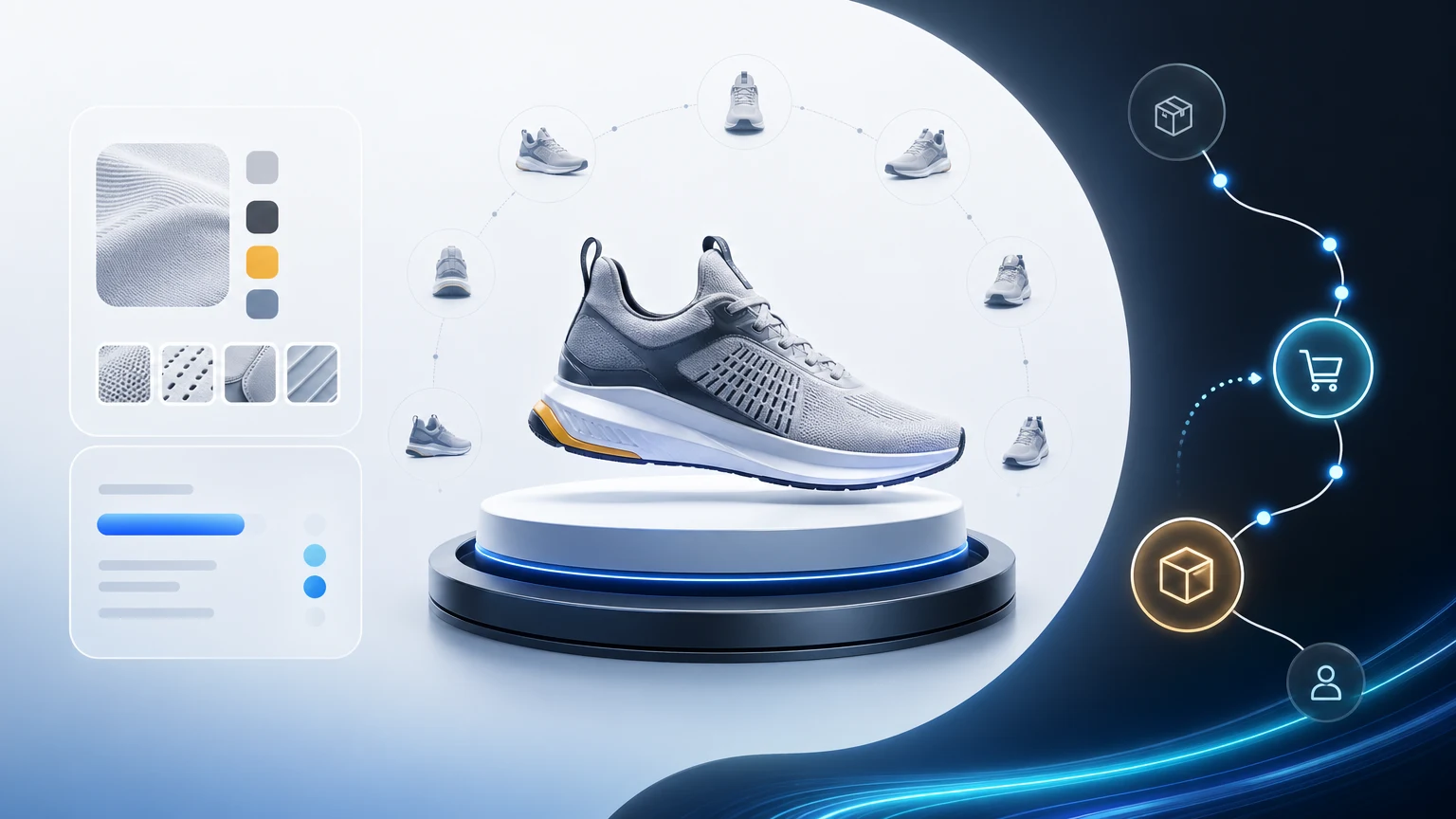
Static product pages ask shoppers to imagine material, scale, and real-life context from a handful of photos. That guesswork slows decisions and sends high-intent traffic back to search. A 3d product viewer eliminates the gaps by letting buyers explore, compare finishes, and understand fit before they click.
xdreality is built for room tours, virtual showrooms, 3D product pages, and guided interactive experiences. Instead of a passive spin, you define the narrative. Every shopper gets the same succinct, conversion-focused walkthrough, with no guesswork.
Why static product pages stall conversion
Even strong photography struggles to communicate the last mile of product understanding. Common friction points include:
- Material ambiguity: Shoppers can’t tell texture, sheen, or light behavior across finishes.
- Scale confusion: Without context, “dimensions” are numbers, not understanding.
- Use context: It’s hard to see where the product lives, how it’s handled, or what it pairs with.
- Detail trade-offs: Videos are linear and long; galleries grow heavy but still miss crucial angles.
- Inconsistent storytelling: Each visitor zooms and scrolls differently, so key selling moments are easy to miss.
When buyers can’t confidently answer “Will this fit?” or “Is this the right finish?”, they delay or bounce. A focused 3D flow shortens the path to clarity.
What a 3D product viewer does differently
A modern product viewer for ecommerce changes the PDP from static to situated:
- Real-time inspection: Rotate, zoom, and orbit without leaving the page.
- Finish and variant clarity: Swap materials and colors in seconds; see how lighting affects each.
- Scale and fit: Toggle dimension overlays or compare against everyday objects for instant comprehension.
- Contextual scenes: Place products in on-brand rooms or environments to communicate use and lifestyle.
- Feature storytelling: Use callouts and exploded views to reveal engineering, components, or craftsmanship.
- Consistent flow: Guide shoppers through the moments that matter—no more hoping they find the right image.
In short, a 3d product showcase brings together detail, context, and sequence. The result is fewer unknowns and a more confident add-to-cart.
Guided 3D with xdreality: guide, don’t guess
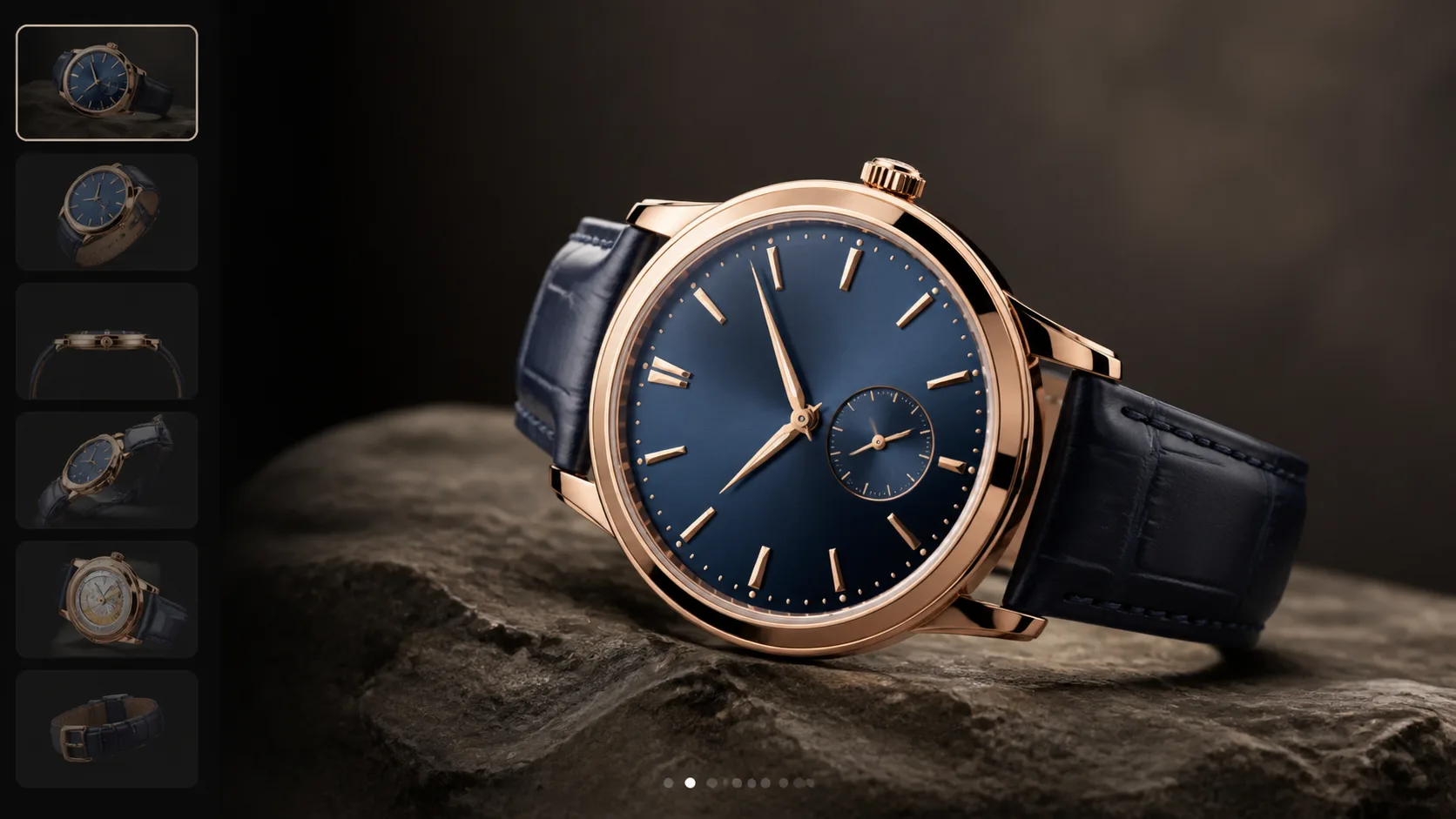
The core idea is simple: design the path buyers take through the experience. Instead of a freeform 3D canvas, xdreality lets you publish a guided, interactive product page with clearly defined steps. Each step is intentional, fast, and built around a decision shoppers need to make.
Here’s how it comes together:
- Waypoints that sell: Create a sequence like Hero View → Material Closeup → Size & Fit → Use in Room → Key Feature → Add to Cart. Each waypoint can include copy, hotspots, and CTAs.
- Context on demand: Swap backgrounds or scenes to demonstrate home, office, or outdoor use—without loading a new page.
- Finishes and variants: Attach materials, sizes, or bundles to steps so buyers compare options in the right context.
- Clear annotations: Label craftsmanship details, component callouts, or care instructions exactly where they’re visible.
- Lightweight performance: Stream assets so the viewer loads quickly and stays responsive across devices.
- Shareable states: Deep-link to any step in the route from ads, emails, or live chat to land buyers in the moment that matters.
With xdreality, your product story isn’t left to chance. Every visitor gets a concise, branded walkthrough that mirrors how your best sales rep would demo the product—only now, it happens directly on the PDP.
Build an interactive product page your team can own
You don’t need to rebuild your stack to get a powerful 3D product viewer live. xdreality fits into existing ecommerce workflows so product, content, and merchandising teams can collaborate without friction.
A practical setup looks like this:
- Source your model: Import an existing 3D file or work with your partner network to create one based on CAD, photography, or measurements.
- Define the route: Choose 4–7 key scenes that answer your top objections: texture, scale, function, and in-situ context.
- Add messaging and CTAs: Write short, benefit-led copy for each waypoint and place Add to Cart where intent peaks.
- Configure variants: Attach material swatches and size options so buyers can toggle differences in real time.
- Publish to your PDP: Embed the viewer inline or link to a full-screen 3D experience. Keep your template and analytics intact.
- QA across devices: Validate performance on mobile, tablet, and desktop to ensure tap targets, captions, and lighting feel polished.
The goal isn’t to overwhelm shoppers with 3D. It’s to make the decisive moments obvious and effortless.
What to measure—and how to optimize
Interactive experiences shine when they’re measured. xdreality pairs your 3D product showcase with analytics that help teams iterate toward conversion.
Track and optimize around:
- Engagement with steps: Which waypoints hold attention or lead to drop-off.
- Variant interactions: Which finishes or configurations shoppers compare most.
- Feature interest: Hotspot clicks that indicate what buyers need to understand before purchase.
- Add-to-cart adjacency: Whether specific steps consistently precede cart actions.
- Route completion: The share of visitors who reach your final CTA.
Use these insights to tighten copy, reorder steps, or spotlight the finish most likely to convert. Over time, your interactive product page becomes a high-performing asset, not just a novelty widget.
Related next reads for stronger ecommerce PDP decisions
If this article reflects the exact conversion problem you are solving, the next most useful pages usually sit one step upstream or downstream of the PDP:
- Interactive Product Showcase for Furniture Ecommerce: if your use case is specifically furniture, material context, and room-scale buying questions.
- Boost Product Page Conversion with Guided 3D Context: if the team is discussing guided context at the growth and CRO level.
- 3D Product Viewer Embed for Shopify Product Pages: if the next question is implementation on a live storefront.
- 3D Product Viewer for Ecommerce Conversion: if you want the direct commercial route page behind this article.
Where a 3D product showcase shines
Teams across categories see outsized value when material, scale, and context matter:
- Furniture and decor: Fabric texture, wood grain, leg finishes, and room placement.
- Consumer electronics: Port access, material transitions, mounting options, and cable management.
- Appliances: Control layouts, interior capacity, handle finishes, and counter clearance.
- Sporting goods: Fit relative to the body, component materials, and stance or grip context.
- Luxury and accessories: Metal finishes, stitching, closures, and true-to-life shine under light.
If your PDPs juggle long spec sheets, a growing gallery, and persistent pre-sale questions, a guided 3D flow is often the simplest way to resolve buyer uncertainty.
Practical tips to start strong:
- Keep routes concise: Aim for 5 or fewer core steps, with optional deep dives.
- Write for decisions: Prioritize language that resolves an objection at each step.
- Lean on contrast: Use scene lighting and backgrounds that make finishes and edges clear.
- Match the brand: Align camera moves, pacing, and captions with your brand’s tone.
- Connect to commerce: Place Add to Cart or variant selectors where confidence peaks, not just at the end.
Your 3D product viewer should feel like part of the PDP, not a detour. With xdreality, it is.
Ready to turn static product pages into guided, interactive product pages that drive confident decisions? Request a demo, and we’ll show you how xdreality’s 3D product viewer can anchor a conversion-focused product page for your catalog.