
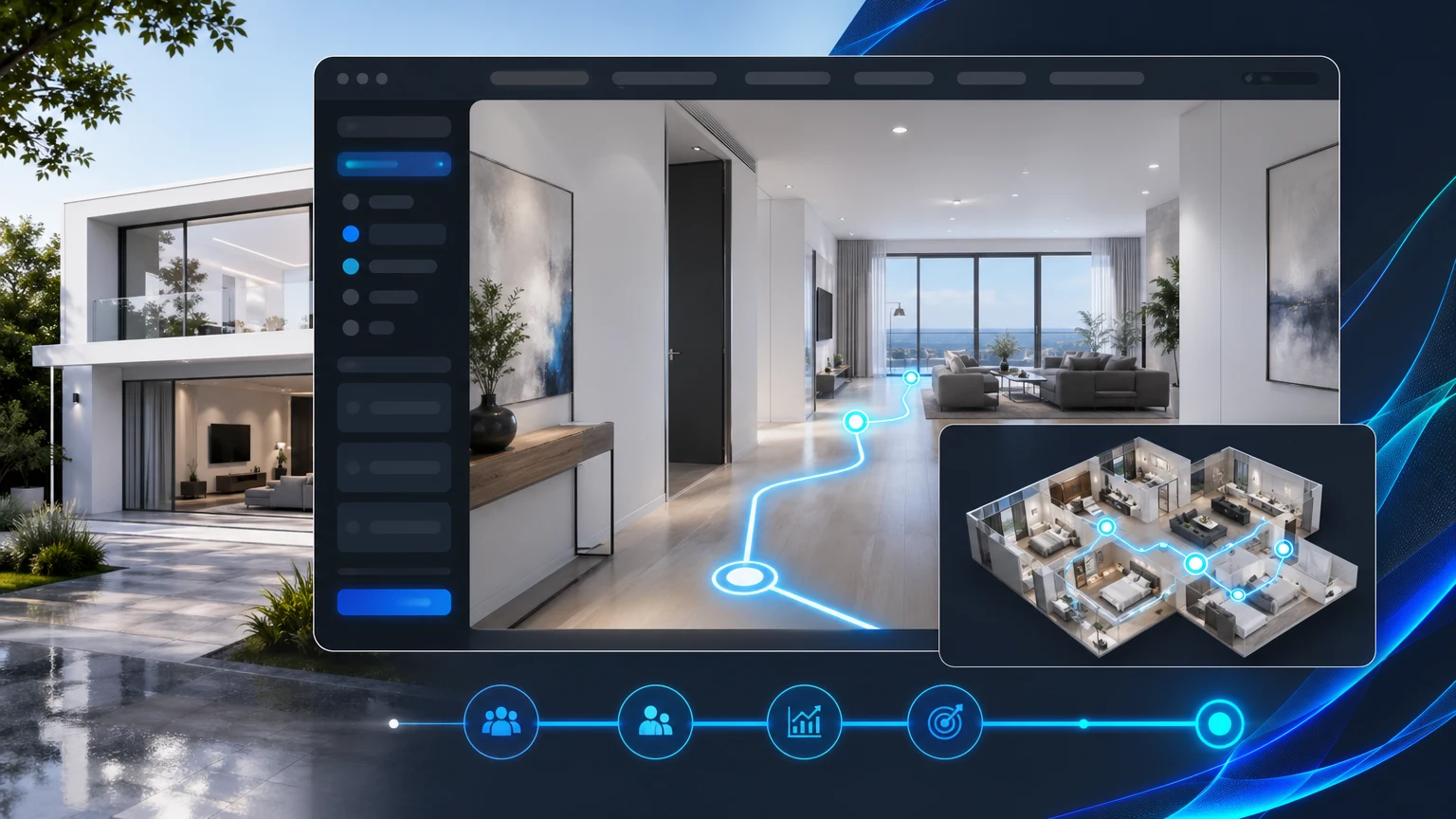
Most listing pages still lean on flat photo galleries that ask buyers and renters to guess how rooms connect, how a space flows, and what to do next. The result: visitors browse, bounce, and email agents with basic layout questions.
xdreality changes that. Our guided 3D platform turns lightweight capture into guided room tours with hotspots, clear sequencing, and embedded calls to action, so your audience understands the space and feels ready to take the next step.
Why flat galleries fail to move buyers forward
Photos are essential, but they rarely tell the whole story. When visitors can’t grasp layout or flow, they hesitate.
Common gaps on listing pages:
- No sense of sequence: A bedroom photo after a kitchen photo doesn’t explain what’s between them.
- Weak spatial context: Even high‑quality images don’t show how far rooms are or how they connect.
- Missing guidance: Without clear actions, interested visitors leave to research or ask basic questions.
If your goal is more booked showings, more qualified inquiries, and fewer repetitive questions, your media has to do more than look good. It has to guide.
What guided room tour software means
Most virtual tour software starts with a free‑roam map and hopes users find their way. A guided approach flips that: you decide the best path through the property, and the tour leads visitors room by room.
With a guided approach, you can:
- Stage the story: Present spaces in the order that sells—entry, living, kitchen, primary, secondary rooms, amenities.
- Control decision points: Add hotspots where questions naturally arise (storage, finishes, views) and answer them in‑flow.
- Reduce cognitive load: Give visitors one clear path, with options to branch, rather than an open maze of links.
The result is a guided, interactive property walkthrough that feels intentional, reduces confusion, and increases confidence.
Turn lightweight capture into guided tours with xdreality
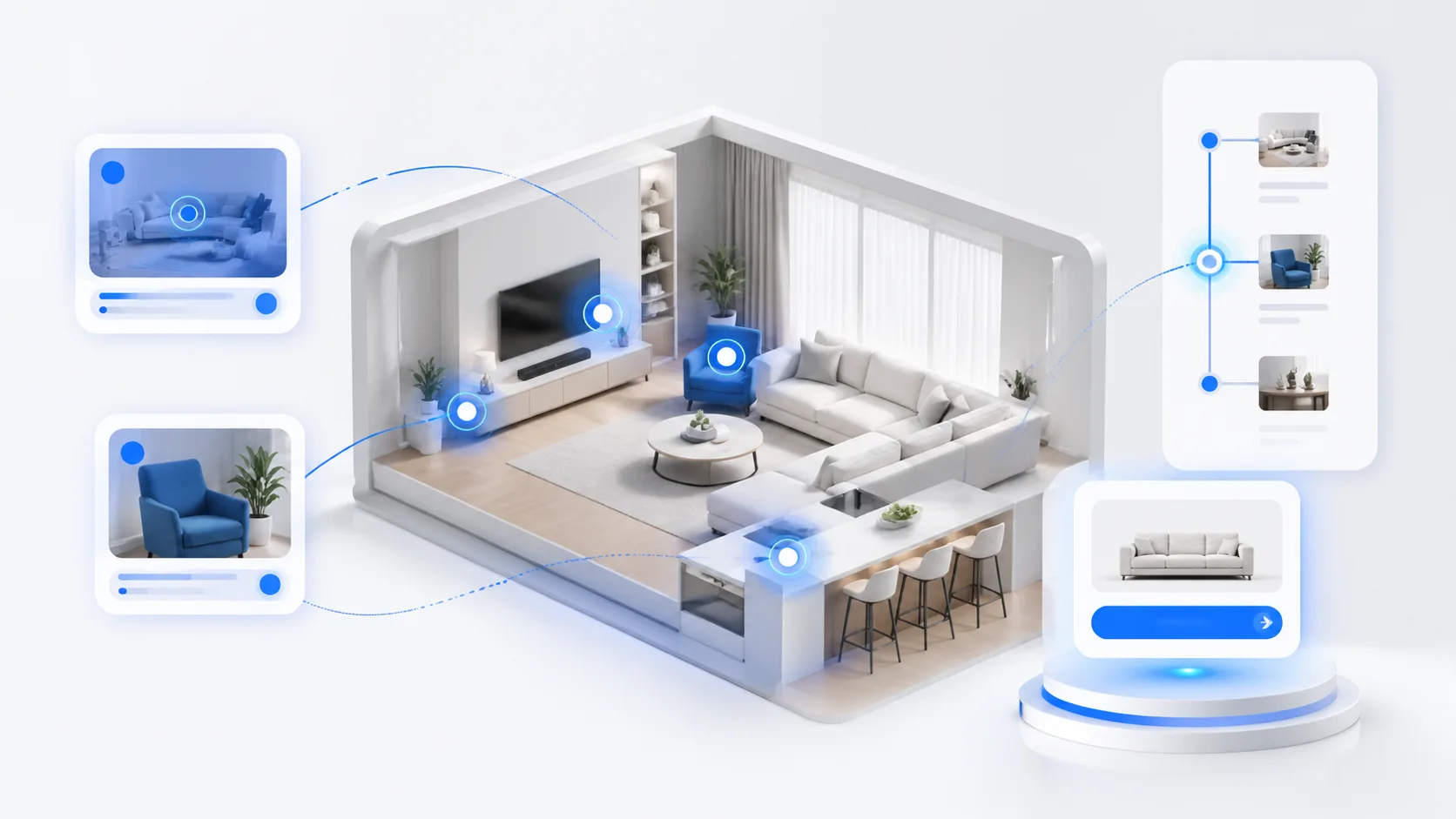
You don’t need a scanning van or complex hardware to get started. xdreality lets real estate teams turn existing media into compelling room tours.
What you can work with:
- Photos and panoramas you already shot
- 360s from common cameras or phones
- Simple floor plans or marketing plans
- Short video clips for highlights
How it comes together in xdreality:
- Route logic: Link rooms in a chosen sequence. Offer branches for optional areas like secondary bedrooms or amenity spaces.
- Hotspots that teach: Place clickable points on finishes, storage, appliance packages, outdoor access, and more.
- Embedded CTAs: Guide visitors to schedule a showing, start an application, request a brochure, or message the agent—without leaving the tour.
- Branding and copy: Keep your identity present with logos, colors, and concise captions that explain what the camera can’t.
Because the tour is guided, you avoid the “where am I?” problem of free‑roam experiences while still giving visitors choice where it matters.
Build interactive property walkthroughs that drive action
An effective listing experience does three things: clarifies the space, answers objections, and makes next steps obvious. xdreality’s room tour software helps you check all three boxes.
Clarity
- Walkthrough that mirrors an in‑person tour, so buyers understand flow before they visit.
- Consistent perspective across rooms to maintain orientation.
Objection handling
- Hotspots with concise notes on measurements, closet depth, outlet placement, or window direction.
- Pop‑ups for material specs, appliance brands, and upgrade options.
Action
- Contextual CTAs next to high‑intent moments: book a showing when exiting the primary suite, download a floor plan after the kitchen, start an application from the living area.
- Form embeds or links to your scheduling and CRM tools, so you keep your existing workflows.
The outcome: a listing page that not only looks polished but actively moves visitors toward a decision.
Built for real estate teams and property marketers
Whether you handle new development launches, rentals, or resale, xdreality fits into your day‑to‑day.
For marketing teams
- Launch assets faster: Build tours from the same media you use for galleries and ads.
- Keep messaging tight: Update hotspot copy, CTAs, and highlights without reshooting.
For sales and leasing
- Pre‑qualify interest: Share a guided tour link after inquiries to focus in‑person time on serious prospects.
- Standardize the story: Ensure every agent presents the same flow and key talking points.
For new development
- Visualize before model units are complete using renderings and plans.
- Highlight upgrade paths with branchable routes (standard vs. premium finishes).
For residential resale
- Differentiate your listing with a clear, modern experience that explains layout in seconds.
- Pair with existing photos—no need to replace your MLS gallery.
For commercial and flex spaces
- Route prospects through core areas, then branch to optional zones or spec suites.
- Surface key specs—ceiling height, load‑in, power—in hotspots where they matter.
Simple embed, measurable engagement
xdreality tours drop directly into listing pages, building sites, and marketing hubs with a lightweight embed. Keep visitors on your domain while giving them an interactive property walkthrough.
What teams value:
- Clean embed: Add once to your CMS or landing page builder.
- Consistent performance: Fast loads tuned for marketing pages.
- Click insights: See which hotspots or CTAs attract attention, so you can refine the route and messaging over time.
No new destination to manage and no extra steps for your audience—just a better on‑page experience that supports conversion.
Related next reads for stronger property-route decisions
If this article reflects the exact listing problem you are solving, the most useful next pages usually sit right next to it in the property funnel:
- Property Website Embed for Room Tours: if your next question is how to keep the tour on your own listing site and preserve CTA continuity.
- Guide to Virtual Tour vs Video for Property Marketing: if your team is still deciding whether the page needs passive video, guided interaction, or both.
- Pre-Leasing Virtual Tours for Multifamily Marketing: if the route needs to support lease-up or pre-leasing qualification rather than standard resale traffic.
- Room Tour: if you want the direct commercial route page behind this workflow.
A practical checklist to get started
Ready to move beyond galleries? Use this quick plan to launch your first xdreality tour.
- Choose the listing
- Start with a unit that benefits from guided flow—unusual layouts, long sightlines, or multiple finish packages.
- Gather media
- Select 8–15 hero angles that cover the entry, primary rooms, and key details.
- Include any 360s, short clips, or floor plans you already have.
- Map the route
- Sketch the optimal walkthrough order: entry → living → kitchen → primary → bath → secondary → amenities.
- Note optional branches (e.g., balcony, storage, second bath).
- Write hotspots
- Keep each note to a sentence or two. Focus on answers buyers want: dimensions, orientation, storage, appliance info, upgrade notes.
- Add CTAs where intent peaks
- Book a showing after the main living area.
- Download floor plan near the kitchen or hallway.
- Start application from the final step, with an option to message the agent anytime.
- Embed and review
- Drop the tour into your listing page.
- Have an agent walk it end‑to‑end and confirm the story matches an in‑person tour.
- Iterate
- Watch which hotspots and CTAs get clicks.
- Adjust the route and copy to remove friction and clarify what’s next.
This is not a heavy lift—especially when you reuse existing media—and it pays off in fewer confused visitors and more decisive inquiries.
Why xdreality over generic virtual tour software
If your goal is conversion on a listing page, the experience has to be intentional. xdreality’s focus on route logic, guided hotspots, and embedded CTAs is designed for real estate room tours.
Key differences:
- Guided by design: You control the flow, not the user’s guesswork.
- Content where it matters: Hotspots and notes appear at the exact moment a question arises.
- Action in context: CTAs live inside the tour, reducing clicks and drop‑off.
- Built for teams: Easy updates, consistent branding, and shareable links across sales and marketing.
You still get the freedom to explore, but with a clear path that supports how people actually decide on a property.
See a live listing flow in action
The quickest way to evaluate room tour software is to experience a guided tour end‑to‑end. We’ll walk you through a real listing, show how hotspots and route logic answer common questions, and review where CTAs fit naturally.
Book a demo with xdreality to review a live listing flow and plan your first guided tour.